Last updated on October 19th, 2026 at 10:15 pm
Google AI Image Generator in 2026: Why Nano Banana Refuses, Rate-Limits, and Forgets Your Character (and How to Fix Each One)
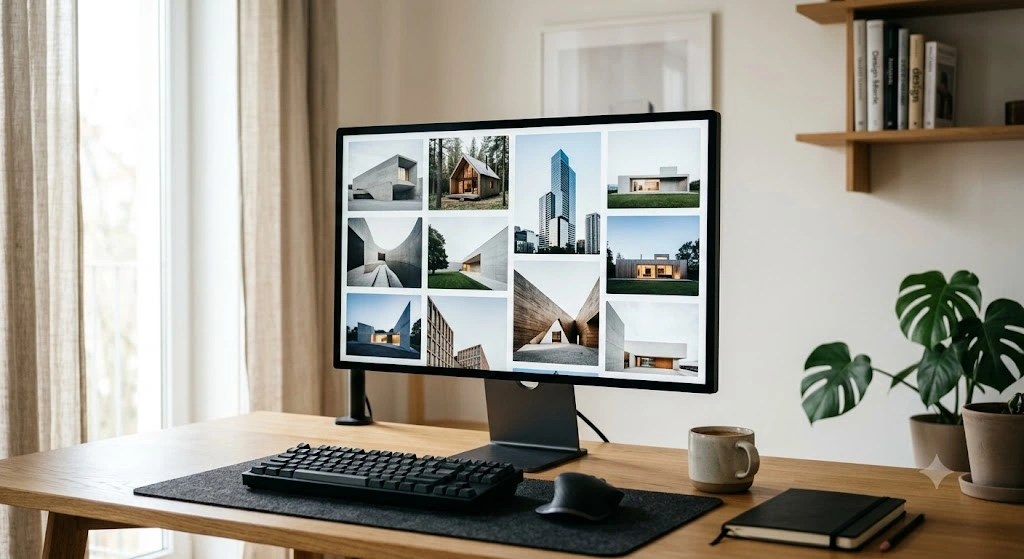
If you searched “google ai image generator” because Nano Banana just refused your prompt, cut you off after a handful of images, or swapped your main character’s face on the third edit, this guide covers all three problems. You’ll also get the exact setup steps, the 4K export route, a conversational editing workflow, and a way to check whether any image was made by AI. Skip to the troubleshooting section if you’re stuck right now.
Everything below comes from Google’s own help pages, model documentation, and current 2026 reporting. Limits, prices, and model names in this space change monthly, so I flag the numbers most likely to move.
In This Article
ToggleWhat Is Nano Banana and Nano Banana Pro? The 2026 Technical Breakdown
Nano Banana is the consumer nickname for Google DeepMind’s Gemini image models. It isn’t one model anymore. Three matter right now:
- Nano Banana (Gemini 2.5 Flash Image): the August 2025 original, fast and good at edits that keep a subject recognizable. Google replaced it as the Gemini app default in February 2026.
- Nano Banana Pro (Gemini 3 Pro Image): released November 2025 on the Gemini 3 architecture. It handles complex briefs, accepts up to 14 reference images, keeps up to 5 people consistent, can ground an image in Google Search facts, and outputs 2K and 4K.
- Nano Banana 2 (Gemini 3.1 Flash Image): launched February 26, 2026 and now the default in the Gemini app, Google Search AI Mode, and Flow. Google pitches it as Pro-level reasoning at Flash speed, with output up to 4K.
You’ll see some sites call the fast model “standard” or “2.1.” The official name is Nano Banana 2.
The practical split: Nano Banana Pro is built on Gemini 3 Pro, so it plans layout and content before it renders. That matters for infographics, diagrams, product shots with labels, and any scene with several specific elements. Both Pro and Nano Banana 2 render legible text and can translate and localize text inside an image. Third-party comparisons give Pro a narrow edge on dense or small text and fine fidelity. I haven’t found an official language count I can verify, so I won’t quote one.
On the API, Nano Banana 2 costs roughly $0.067 per 1K image and about $0.15 at 4K. Nano Banana Pro is about $0.134 at 1K/2K and about $0.24 at 4K. Treat those as a snapshot and check Google’s pricing page before you budget.
Google AI Image Generator vs. Bing vs. Grok: Which Tool Wins in 2026?
There’s no single winner, and anyone who names one without asking what you’re making is guessing. Here’s how the main options compare for real work:
- Gemini (Nano Banana Pro or 2): the best fit when you need readable text in the image, step-by-step edits in chat, or consistent characters across a set. Nano Banana 2 debuted at the top of the Arena and Artificial Analysis image leaderboards in February 2026, but leaderboards shift often.
- Bing AI image generator (Bing Image Creator): free with a Microsoft account. As of this year it offers DALL-E 3, GPT-4o image generation, and Microsoft’s own MAI-Image-1. You get 15 fast “boosts” a day, then slower generation, at standard 1024×1024 output. Filters are strict.
- Grok: so, does Grok AI generate images in 2026? Yes, through Grok Imagine. But access keeps changing. Some reports say free image generation ended on March 19, 2026 and filters tightened after a January deepfake controversy. Other pages still describe capped free use. Check x.ai before building a workflow around it.
- ChatGPT: strong image quality, but free-plan daily caps apply.
My rule: pick Nano Banana Pro for text-heavy or multi-element images, Nano Banana 2 for fast everyday work, and Bing when you want something free and quick without a Google account.
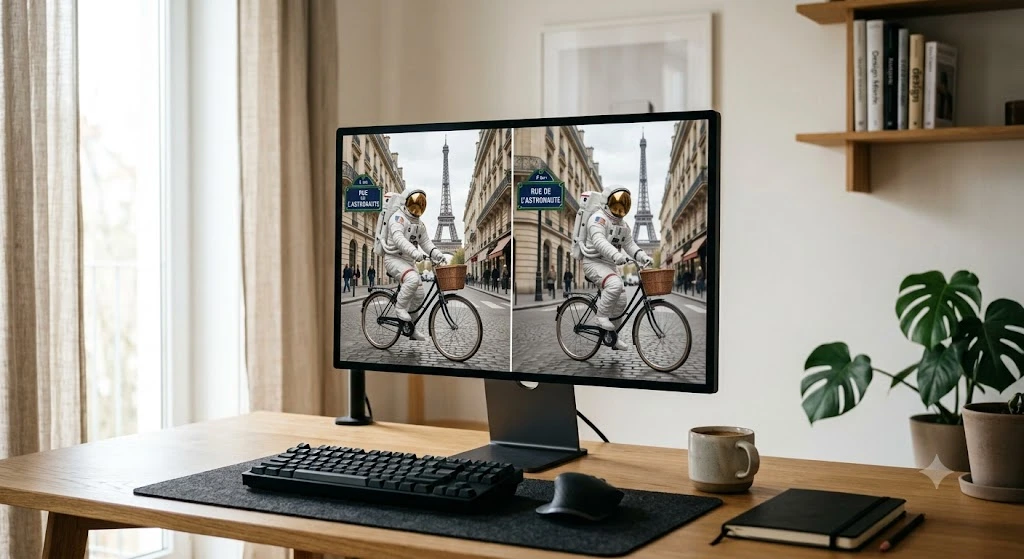
Best free AI image generator right now
For the best free AI image generator, start with the Gemini app. Without a paid plan you get up to 20 images a day with Nano Banana 2, per Google’s help page, and no Nano Banana Pro. Bing Image Creator is the other solid free option. If you want the best AI image generator free of watermarks-and-caps drama, there isn’t one: every free tier is capped, and caps change. Paid Gemini starts at Google AI Plus (about $7.99 a month), which raises the daily limit to 50 and unlocks Pro.
AI image generation trends 2026 that actually affect you
- Fast models now match last year’s flagship quality. Nano Banana 2 costs about half of Pro. Drafting on the cheap model and finishing on the expensive one is the new default workflow.
- Image models are baked into everyday apps. Gemini, Search AI Mode, Flow, and Google Photos all call Nano Banana, so you’ll edit images without opening a “generator.”
- Free tiers keep shrinking. Google cut free Pro access shortly after launch, and Grok pulled free image generation. Expect more limits, not fewer.
- Provenance is becoming standard. Invisible SynthID watermarks and C2PA Content Credentials now ship with Google’s image tools (more on this below).
Real-World Troubleshooting: Fixing Nano Banana’s Most Annoying Bugs
Content Policy Violation” refusals on harmless prompts
Most refusals I see are false positives. The filter reacts to a word or pattern, not your intent. Work through this list in order:
- Remove real names and brands. Real people’s likenesses, trademarked characters, and logos are the most common trigger. Describe the look instead: “a retro sci-fi robot with a round copper head,” not a studio’s mascot.
- Swap risky words for neutral ones. A medical, historical, or action scene can trip on words like “blood,” “weapon,” or “shot.” Rephrase to what’s visible: “red stage makeup,” “a prop sword.”
- Say what you want, not what to avoid. Long negative lists confuse the request and can include the very words that get flagged.
- Shorten the prompt. Cut it to subject, setting, and style. Add details back one at a time to find the trigger.
- Use your own photo for edits. An edit on an image you upload to your own account, of someone who consented, often passes where a from-scratch likeness doesn’t.
- Try the other model. Nano Banana 2 and Pro filter slightly differently. If one refuses, redo the image with the other.
- Report false positives. Use the thumbs-down on the refusal so Google can see it.
One boundary: if the refusal covers sexual content, minors, or deceptive images of real people, that’s a deliberate line, and rewording isn’t the fix.
429 Rate Limit Reached” and sudden daily limits
First, know which wall you hit. In the Gemini app you’ll see a daily-limit message. A literal 429 error (RESOURCE_EXHAUSTED) shows up in the API and Google AI Studio.
Gemini app daily limits (Google’s help page, October 2026): free accounts get up to 20 Nano Banana 2 images a day, Google AI Plus 50, AI Pro 100, and AI Ultra 1,000. Nano Banana Pro redo is available from Plus up. Google says limits “may change frequently” and reset daily. Once your Pro quota runs out, requests fall back to the other model.
There’s no legitimate trick to get around a quota, and I’d skip the popular “use ten accounts or a VPN” advice because it breaks Google’s terms and can get an account flagged. What does work:
- Draft on Nano Banana 2, finish on Pro. Save Pro images for final renders so the quota lasts.
- Batch your thinking, not your prompts. Write one detailed prompt instead of five vague ones. Fewer retries means fewer spent images.
- Wait for the reset. Daily quotas reset on Google’s schedule, so check the message for timing.
- On the API, add exponential backoff. Retry after 1, 2, 4, then 8 seconds with a little random jitter, and cap parallel requests.
- Check your tier in Google AI Studio. The rate-limit page there shows your per-minute and per-day caps. Enabling billing moves you to a higher tier, and image models on the API generally aren’t covered by a free tier.
Character consistency loss during multi-turn edits
By the fifth or sixth edit, faces drift. The model is re-reading a long chat where the original reference is far behind you. Fixes that work:
- Anchor with a reference image. Upload the original photo again every few turns and say “keep this exact person.” Pro accepts up to 14 references and tracks up to 5 people.
- Lock the features in words. State what must stay: “same face, same hair, same blue jacket.”
- Change one thing per turn. “Make it night” and “add a dog” and “change the outfit” in one message is how faces mutate.
- Build a character sheet first. Generate front, side, and three-quarter views, then use that sheet as your reference for every scene.
- Start a fresh chat when drift shows. Re-upload your best image and continue from there rather than patching a degraded thread.
- Use Pro for multi-person scenes. Pro was built for it, so don’t fight Nano Banana 2’s limits on crowded group shots.
Step-by-Step Practical Guides (How-To Section)
How to use Nano Banana and Nano Banana Pro
How to use Nano Banana (the free route):
- Open gemini.google.com or the Gemini app and sign in.
- Choose the image creation option, or just describe the image you want.
- Write a prompt using this order: subject, action, setting, lighting or camera, style, then any text that must appear.
- Refine in the same chat with short instructions: “make the background warmer,” “remove the second chair.”
A prompt that works:
A ceramic coffee mug on a walnut desk beside a notebook, morning window light, 50mm photo, shallow depth of field, soft shadows. Printed on the mug in white sans-serif: "MONDAY FUEL". 4:5 vertical.Put exact text in quotation marks and name the font style. That’s how you get clean lettering.
How to use Nano Banana Pro:
- You need a paid Google AI plan (Plus, Pro, or Ultra) for Pro in the Gemini app.
- Generate an image, then use the three-dot menu on it to redo it with Nano Banana Pro.
- For multi-reference work, upload up to 14 images and say what each one is for: “image 1 is the character, image 2 is the outfit, image 3 is the background style.”
- For infographics and diagrams, give Pro the full content and layout: headings, labels, and order.
4K exports: the full-size control lives in the API and Google AI Studio. Select a Nano Banana model, set the image size to 2K or 4K, and set the aspect ratio before you run it. 4K costs more per image, so draft at 1K first and re-render only the keepers at 4K.
A workflow tip for work teams: call recaps and meeting summaries turn into clean one-slide infographics when you paste the key points into Nano Banana Pro with a layout instruction. If you’re still picking the recorder that produces those summaries, our guide to the best AI tools for meeting notes covers the options, and the head-to-head posts on Fathom vs Otter and the Granola vs Fathom comparison cover the finalists.
Conversational photo editing: how to edit photos with AI
This is where Nano Banana earns its spot over older editors. You don’t select anything. You talk to the image. If you’re wondering how to AI a picture, meaning how to take an existing photo and change it with AI, here’s the process:
- Upload the photo to Gemini.
- Make one change per message. Example: “Remove the trash can on the left and fill the area to match the lawn.”
- Describe the result, not the tool. “Change the sky to a clear sunset with warm light on the building” beats “apply a filter.”
- Say what to keep. “Don’t change the faces, clothing, or the position of the people.”
- Blend images. Upload a product photo and a scene, then ask it to place the product in the scene with matching light and shadow.
- Restore or colorize old photos. Ask for scratch removal first, then color, in separate turns.
- Compare before you save. Keep your original. Edited output can subtly change skin texture or small details.
Best AI Image Editing & Video Conversion Tools (2026 Roundup)
These are the tools I’d reach for, matched to the job. They cover the best AI image editing tools 2026 has to offer without pretending one tool does everything.
Best AI image editor and AI picture editor free options
- Gemini with Nano Banana Pro or 2: the best AI image editor for conversational, whole-image changes, object removal, and style shifts. The free tier works as an AI picture editor free of charge within the 20-a-day cap.
- Google Photos: Google has added Nano Banana-powered edits and templates here, which makes it the easiest free route for casual fixes on phone photos.
- Adobe Photoshop (Generative Fill): my pick when you need pixel-level control, layers, and masks. It costs more and takes longer to learn.
- Canva: best for turning an edited image into a finished social post, flyer, or slide. The free plan covers basic AI edits.
- Bing Image Creator and Microsoft Designer: good free options for generating a starting image when you don’t want a Google login.
Use Gemini for quick conversational edits, Photoshop when precision counts, and Canva when the image is going into a layout.
Image-to-video workflow: exporting 4K images into AI video tools
The best AI image to video tools 2026 can offer all work better when the source image is clean. A reliable workflow:
- Generate the still at 4K with Nano Banana Pro or 2. Keep faces sharp and the background simple.
- Match the aspect ratio to the video you plan to make (16:9 or 9:16) before you generate the still.
- Upload the still as the first frame in a video model and describe only the motion: “slow push-in, hair moves in light wind.”
- Generate short clips and stitch them together. Long single clips drift.
Right now, your best options are Google’s Veo models in Gemini and Flow, or ByteDance’s Seedance. Which one you should use comes down to what you’re actually building.
If you want to turn your 4K stills into smooth video clips, take a look at our roundup of the best AI video generators in 2026 to see which tools handle movement best. On the other hand, if you’re making marketing videos with an avatar speaking to the camera, a dedicated tool is a much better choice. You can check our HeyGen pricing breakdown to see how their credits work so you don’t waste budget testing the wrong features.
Creative Uses, Verification & Search Privacy
Funny AI photos and the AI future baby generator free trend
The most shared uses are simple. For funny AI photos, try putting your dog in a 1970s yearbook portrait, turning your office into a medieval tavern, or making a “fake vacation” photo for a group chat. Use photos you own, and don’t make fake images of real people that could mislead anyone.
The AI future baby generator free trend works by blending two adult photos into one imagined child’s face. In Gemini, upload two photos (with both people’s permission) and ask for “a realistic portrait of a toddler who resembles both.” Treat it as a toy. It’s a guess based on appearance, not a prediction of genetics. Don’t upload photos of other people’s children.
Is this image AI generated? How to check with SynthID and C2PA
Two systems answer this question, and they work differently.
SynthID is Google’s invisible watermark, built into images from Google’s AI tools. Since November 2025 you can upload an image to the Gemini app and ask, “Is this AI-generated?” Gemini checks for the SynthID watermark. Google’s May 2026 update added verification for images, video, and audio, and said that companies such as OpenAI are bringing SynthID to their own outputs. Learn more on the DeepMind SynthID page.
C2PA Content Credentials are a signed record of how a file was made and edited. Nano Banana Pro images carry C2PA metadata when made in the Gemini app, Vertex AI, and Google Ads. The standard is maintained at c2pa.org.
Three limits to know:
- A screenshot or heavy re-compression can strip C2PA data.
- A missing credential is not proof an image is real. Many real photos have none.
- Gemini’s SynthID check was designed to detect Google’s watermark, so a “not detected” result doesn’t clear an image made by another tool.
For a suspicious image, combine the checks: run SynthID, look for Content Credentials, do a reverse image search, and read the context around where it was posted.
Search engines that don’t use AI
If you’re tired of AI summaries sitting on top of every search, you have options. DuckDuckGo offers settings to reduce or hide AI-assisted answers and AI-generated images in results. In Google, the “Web” filter tab shows plain blue links without AI Overviews. No major engine is 100% free of machine learning in ranking, so “no AI” really means “no AI-written answers on top.”
The Generative AI Future & FAQs
Generative AI future: how will AI affect the future, and what will AI do in the future?
I’d rather give you what’s observable than predictions. Three things are already visible in 2026:
- Image editing becomes a conversation. The skill that matters moves from knowing tools to describing what you want clearly.
- Compute decides who survives. Sora’s shutdown, partly blamed on heavy compute demand, and the constant free-tier cuts show that generation is expensive. Expect cheaper “Flash” and “Lite” tiers to carry most volume.
- Proof of origin becomes part of the product. Watermarks, Content Credentials, and in-app detectors are being added now, because fake images are a trust problem for platforms.
How will AI affect the future of work like design, marketing, and photography? The routine tasks are shrinking first: background cleanup, resizing, and first-draft concepts. Judgment, taste, and client relationships aren’t shrinking. What AI will do beyond that, nobody knows, and be wary of anyone who claims to.
FAQ
What is the Google AI image generator?
It’s the Nano Banana family of image models inside the Gemini app, Google Search AI Mode, Google AI Studio, and Flow. Nano Banana 2 is the fast default, and Nano Banana Pro is the higher-quality option for complex and text-heavy images.
Is Nano Banana free?
Partly. Free Gemini accounts get up to 20 Nano Banana 2 images a day, but no Nano Banana Pro. Paid Google AI plans raise the limit and unlock Pro. Limits change often, so check Google’s help page.
What is the difference between Nano Banana 2 and Nano Banana Pro?
Nano Banana 2 (Gemini 3.1 Flash Image) is faster and about half the API price. Nano Banana Pro (Gemini 3 Pro Image) is slower and costs more, but it does better on dense text, complex layouts, and multi-reference work.
Why does Nano Banana say my prompt violates policy?
Usually a keyword, real person’s likeness, or branded character tripped the filter. Remove names and brands, describe what you see instead of using loaded words, and shorten the prompt. Genuine violations, like sexual content or minors, can’t be fixed by rewording.
How do I fix the 429 rate limit error?
A 429 means you’ve exceeded a quota. Wait for the reset, retry with exponential backoff, draft on Nano Banana 2, and check your tier in Google AI Studio. Using multiple accounts to dodge limits breaks Google’s terms.
Does Grok generate images in 2026?
Yes, through Grok Imagine, but access has changed several times. Some reports say free image generation ended in March 2026. Check x.ai for current limits.
Is Sora still available?
No. OpenAI shut down the Sora app on April 26, 2026 and the API on September 24, 2026. Use a current image-to-video tool such as Google’s Veo models or Seedance.
How can I tell if an image is AI generated?
Upload it to the Gemini app and ask whether it’s AI-generated to check for Google’s SynthID watermark, and look for C2PA Content Credentials. Neither check is conclusive on its own, since screenshots strip metadata and other vendors’ images may carry no SynthID.
What is the best free AI image editor?
For conversational edits, Gemini’s free tier is the strongest pick, with a cap of about 20 images a day. Google Photos and Canva also cover simple edits for free.