Last updated on September 7th, 2026 at 12:11 pm
Choosing the best AI video generator in 2026 is harder than it looks.
There are more video generators than ever, but they are not all built for the same job. Some are better at realistic scenes. Others are made for cinematic control, social clips, talking-head videos, or quick text-to-video experiments.
Then there is the word free.
A tool might give you free credits but add a watermark. Another might offer a free trial that never refreshes. Some give daily credits, while open-source models let you generate locally without paying for each cloud generation.
So instead of simply ranking the biggest names, this guide looks at what actually matters when choosing a video generator: output quality, consistency, free access, watermarks, text-to-video support, audio, control, and how useful the tool is once you move beyond your first few generations.
In This Article
ToggleBest AI Video Generators in 2026
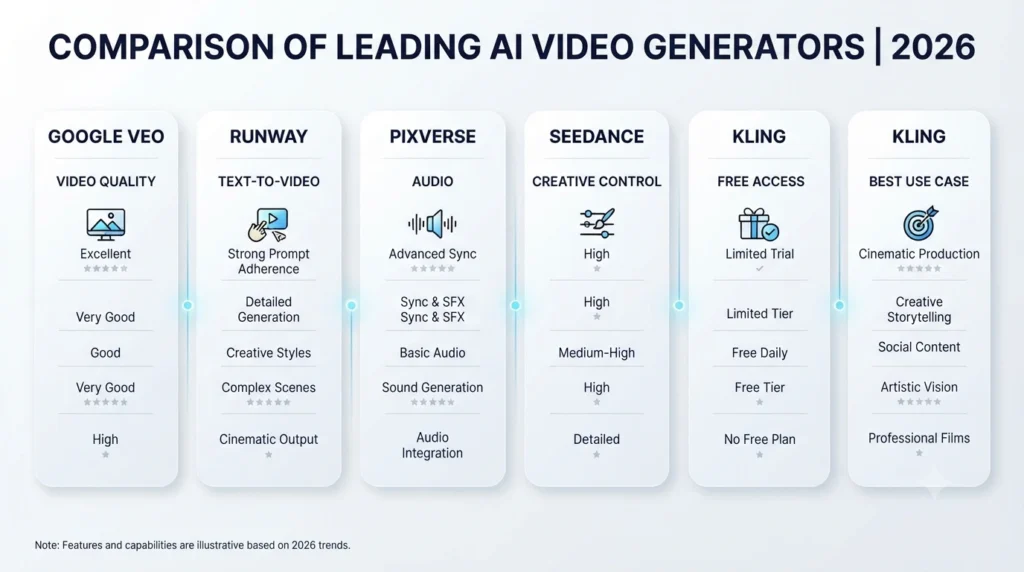
| Video Generator | Best For | Free Access | Text to Video | Audio | Best Use |
|---|---|---|---|---|---|
| Google Veo 3.1 | Overall video quality | Limited, depending on product | Yes | Yes | Realistic & cinematic clips |
| Runway Gen-4.5 | Creative control | Limited trial | Yes | Limited/model dependent | Filmmaking & creative work |
| PixVerse V6 | Fast generation | Yes, limited | Yes | Yes | Social content & experimentation |
| Seedance 2.0 | Motion and multimodal control | Platform dependent | Yes | Yes | Complex visual sequences |
| Kling 3.0 | Human movement | Limited | Yes | Yes | Characters & realistic motion |
| Adobe Firefly | Commercial workflows | Limited | Yes | Model dependent | Business & creative work |
| HeyGen | Talking videos | Limited | Script/video based | Yes | Presenters & marketing |
| LTX-2.3 | Local/open-source generation | Yes | Yes | Model dependent | Local workflows & experimentation |
What Is a Video AI Generator?
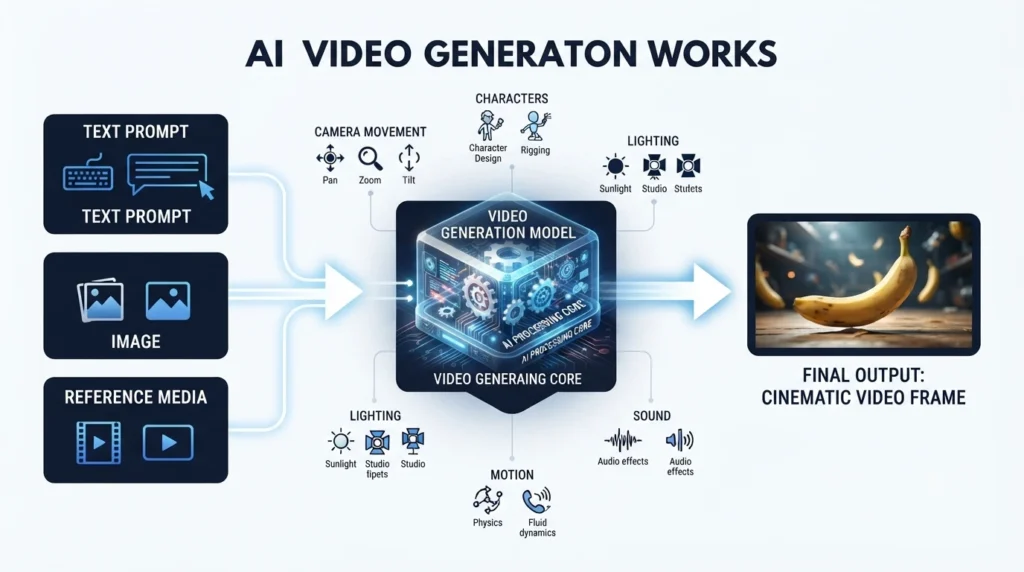
A Video AI Generator creates video from instructions or other media instead of requiring you to shoot every frame yourself.
The most common workflows include:
- Text-to-video
- Image-to-video
- Reference-image generation
- Video-to-video transformation
- Video extension
- Character or subject consistency
- Script-to-video
- Avatar and presenter videos
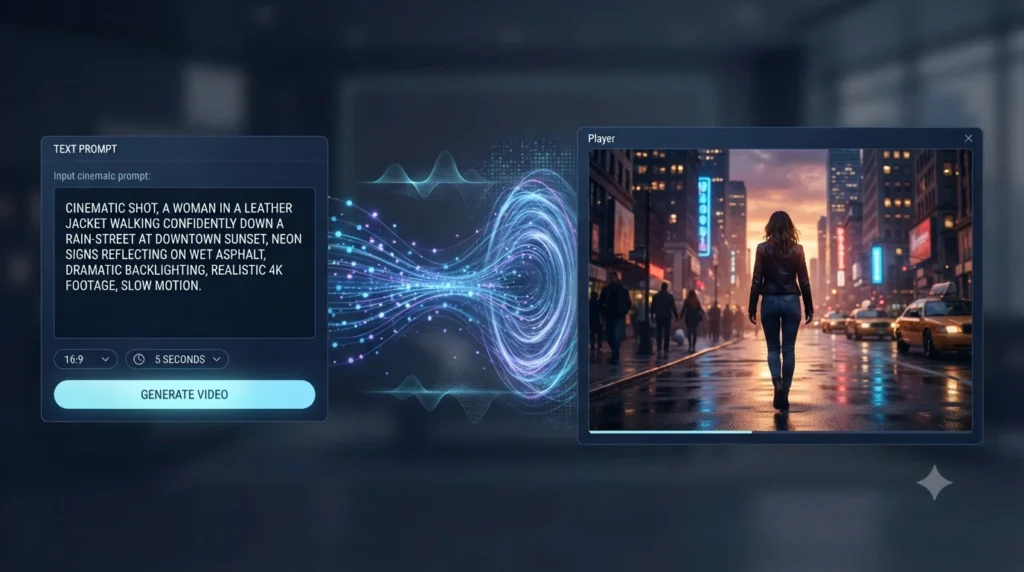
For example, you could type:
A woman walking through a rainy New York street at night, cinematic camera movement, reflections on wet pavement, realistic lighting.
A text-to-video model then turns that description into a short video clip.
Image-to-video works differently. You provide an image and describe what should happen next. This is often useful when you already have a character, product image, illustration, or starting frame.
That distinction matters because the best generator for a YouTube advertisement may not be the best generator for a cinematic short film.
Best Video AI Generator Free Options in 2026
Before choosing a free video generator, check what “free” actually means.
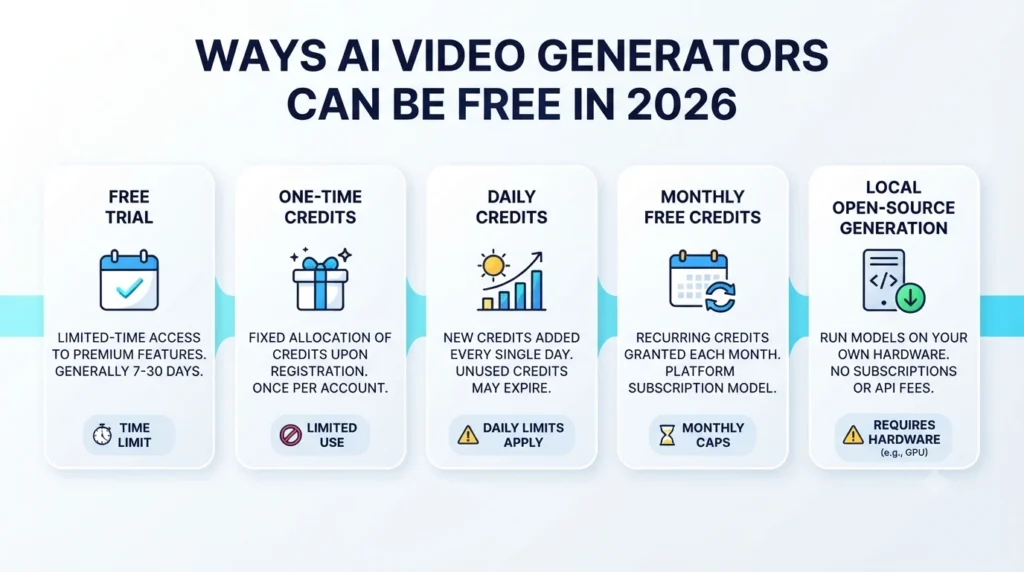
There are several different versions of free access.
1. Free trial credits
You receive a fixed number of credits when you create an account.
Once they are gone, you need to pay.
Runway, for example, has offered a free plan with one-time credits rather than an unlimited monthly allowance.
2. Daily free credits
Some services refresh a limited allowance every day.
This can be useful if you only create a few clips occasionally.
3. Monthly credits
Other services include a fixed number of generations or credits in a monthly plan.
The important thing is to check whether the allowance actually renews on the free tier.
4. Free editor with paid generation features
Some platforms are primarily video editors and include AI features inside the editing workflow.
CapCut is a good example. It can be extremely useful for editing and exporting videos, but its AI features and premium capabilities can have separate credit or subscription requirements.
5. Local open-source generation
This is the closest thing to generation without a recurring cloud bill.
Models such as LTX can be run locally on supported hardware. You don’t pay a cloud provider for every generated clip, but your computer still has to do the work.
That means GPU performance, VRAM, electricity, storage, and setup time all matter.
So when someone searches for a video AI generator free, the first question should not be “Is it free?”
It should be:
Free in what way?
Best Video AI Generator From Text
Google Veo 3.1
Veo 3.1 is one of the strongest choices if your priority is realistic generation.
It supports text-to-video and image-to-video workflows, along with features such as reference images, first and last frames, and video extension. Google’s documentation also lists sound generation and output options that vary by product and endpoint.
One important detail: don’t confuse Google’s consumer access with its API pricing. Veo 3.1 models are not available on the Gemini API free tier, while paid API usage is charged according to the model and output configuration.
Best for: realistic scenes, cinematic clips, image-to-video and controlled generation.
Watch out for: generation costs can add up quickly when you need many attempts.
Runway Gen-4.5
Runway has become one of the better-known choices for creators who want more control over their generated footage.
Gen-4.5 is designed for high-quality video generation, and Runway’s broader platform also includes different models and creative tools.
The main advantage is not simply image quality. It is the workflow around generation.
You can experiment with prompts, references and different creative directions without switching between several unrelated services.
The downside is credits.
If you need multiple generations before getting a usable shot, your effective cost can be considerably higher than the headline subscription price suggests.
Best for: filmmakers, creators and people who want more creative control.
Watch out for: free credits are limited, and repeated generations can become expensive.
PixVerse V6
PixVerse V6 is worth considering if you want a straightforward text-to-video workflow with relatively fast experimentation.
PixVerse supports text-to-video and image-to-video, with V6 supporting clips up to 15 seconds and output up to 1080p. It also offers audio generation on supported workflows.
The credit system is important here. Higher-quality and audio-enabled generations consume more credits, so the number of videos you can make depends heavily on your settings.
Best for: social content, quick experiments and short generated clips.
Watch out for: don’t judge the free tier only by the number of credits shown. Check how many seconds of actual usable video those credits produce.
Seedance 2.0
Seedance 2.0 stands out because it isn’t limited to a simple text prompt.
The model supports multimodal inputs, including text, images, audio and video, giving creators more ways to control a generation.
That becomes useful when a prompt alone isn’t enough.
For example, instead of describing a character, environment and movement entirely with words, you can provide visual references and use the prompt to describe the action.
Best for: complex visual direction, motion and reference-driven generation.
Watch out for: access, pricing and available features can depend on the platform through which you use the model.
Kling 3.0
Kling has become particularly interesting for realistic human movement and character-focused generation.
Its newer video models support native audio-visual output and longer generation workflows than many earlier models.
For creators working with people, movement and scenes that need to feel physically believable, Kling deserves a place on the shortlist.
Best for: realistic characters and human motion.
Watch out for: complicated prompts can sometimes produce worse results than a shorter, more focused instruction.
Video AI Generator Free Without Watermark: What Actually Works?
This is where many “free” lists become confusing.
A service can be completely free to try and still put a watermark on the final video.
Another service might let you generate without a watermark but restrict resolution, duration, or the number of generations.
And some tools only remove the watermark when you move to a paid plan.
So don’t search only for:
video ai generator free without watermark
Instead, check four things:
- Is the generation itself free?
- Is the exported video watermark-free?
- What resolution can free users export?
- Can you legally use the output commercially?
These are separate questions.
Runway’s free plan, for example, is useful for trying the service, but it is not the same as having unlimited watermark-free production. Adobe Firefly also has limited free access, while the commercial-use position can depend on which model you use.
Adobe’s own Firefly Video Model is designed with commercial safety in mind, but Firefly also provides access to partner models. Those models can have different terms, so you should check the conditions for the specific model you’re using.
Video AI Generator Free No Sign Up: Are These Tools Really Free?
You will find plenty of websites promising:
- Free video generation
- No sign-up
- No watermark
- Unlimited generations
Be careful with those claims.
A site can remove the sign-up requirement while limiting resolution, adding queue restrictions, shortening clips, or changing its terms later.
There is also another issue: privacy.
If you’re uploading a private product image, unpublished footage, client material, or anything confidential, “no sign up” doesn’t automatically mean the service is a good place to upload it.
For professional work, look at the provider, privacy policy, data handling and commercial-use terms before uploading sensitive material.
For casual testing, a no-sign-up generator can be convenient.
For client work, it should not be your only deciding factor.
How to Write a Better Video AI Generator Prompt
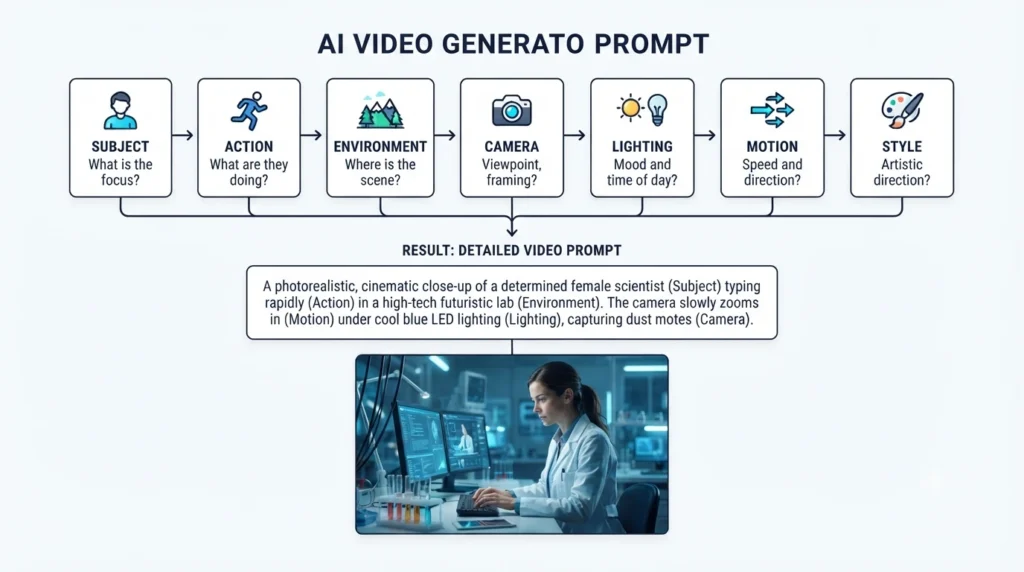
A good video AI generator prompt is less about stuffing it with fancy words and more about explaining what should actually happen.
A simple structure works well:
Subject + Action + Environment + Camera + Lighting + Motion + Style
For example:
A professional chef slicing vegetables in a modern restaurant kitchen, slow handheld camera movement, warm overhead lighting, realistic hand motion, shallow depth of field, natural documentary style.
Notice what is missing.
There is no long list of words such as “ultra-realistic, 8K, hyper-detailed, masterpiece, stunning.”
Those words may influence the visual style, but they cannot replace clear instructions about movement and composition.
For video generation, motion matters.
Tell the model:
- what moves
- how it moves
- where the camera moves
- what stays still
- how fast the action happens
A prompt that describes movement clearly will usually be more useful than one packed with adjectives.
Why Your First Generation Often Isn't the Best One
This is something many beginners discover quickly.
You write a prompt.
The generator produces a beautiful-looking clip.
But then you notice:
- The person’s hands change
- The face looks different
- The object disappears
- The camera moves too aggressively
- The character’s clothing changes
- Physics look strange
- The background shifts
- The action doesn’t finish properly
This is why the real cost of generated video isn’t always the advertised price.
If you need three or four attempts to get one usable shot, your cost per usable video is much higher than the cost of one generation.
That is also why consistency should be part of your decision.
A model that produces one impressive clip isn’t necessarily the best choice for a five-minute project.
Cloud Generation vs Local Video Generation
Most commercial video generators run in the cloud.
You send the prompt to the service, the provider generates the video, and you receive the result.
The advantages are obvious:
- No powerful GPU required
- Easy setup
- Fast access to new models
- Works from ordinary computers
The downside is ongoing cost.
If you’re generating hundreds of clips, subscription fees and credits become important.
Local generation takes the opposite approach.
LTX
LTX provides open-source video generation models and LTX Desktop can run locally on supported hardware.
This can make sense for creators who have a capable NVIDIA GPU and want more control over their workflow.
But “free” does not mean costless.
You still need suitable hardware, enough VRAM, storage and electricity. Generation can also take longer than using a large cloud service.
For someone who already owns the hardware, however, local generation can be very attractive.
What About CapCut?
CapCut is useful, but it should not automatically be compared with dedicated video generation models.
Its biggest strength is the editing workflow.
You can generate or import clips, edit them, add captions, effects, music and transitions, and prepare content for social platforms.
However, CapCut also uses credits for some AI features, and export capabilities can depend on your account, device and plan.
So I would treat CapCut as an editor with generative features, rather than calling it an unlimited AI video generator.
That distinction makes the comparison much clearer.
What About HeyGen?
HeyGen solves a different problem.
If you want a person speaking to the camera, an AI presenter, training video, marketing video or product explanation, HeyGen can be much more practical than a cinematic text-to-video model.
You are not necessarily trying to create a fictional movie scene.
You’re trying to communicate something.
That is why a general ranking can be misleading. A tool can be mediocre for cinematic generation and still be the best choice for business presenters.
HeyGen handles a totally different problem. If you just need a digital face to talk to the camera for marketing, training, or product walkthroughs, it is much easier than shooting real footage. Keep in mind that their token costs change depending on which avatar model you choose, so look at our honest breakdown of HeyGen pricing before picking a paid subscription.
What Happened to Sora?
Sora is no longer something you should build a new 2026 workflow around.
OpenAI’s Sora web and app experiences were discontinued on April 26, 2026. The Sora API was scheduled for discontinuation on September 24, 2026.
So if you see an old article recommending Sora as the main option for a new workflow, check when that article was published.
The video-generation market has moved quickly, and recommendations from early 2026 can already be outdated.
Other Video Generators Worth Knowing
The market is larger than the tools above.
Depending on your workflow, these are also worth looking at:
Luma
Luma’s newer video models are aimed at high-quality generation, motion and creative control.
It can be worth testing if you care about cinematic movement and character consistency.
Hailuo
Hailuo is another option for creators experimenting with text-to-video and image-to-video generation.
Its strengths and limitations can vary significantly by prompt, so it is better treated as a tool to test than an automatic winner.
Wan
Wan is particularly interesting for people who want open-source video generation.
It requires more technical effort than a typical browser-based generator, but that trade-off can be worthwhile for users who want local control.
Midjourney Video
Midjourney has also entered the video space, making it worth watching for creators already using its image-generation workflow.
However, video capabilities and output characteristics make it a different proposition from dedicated video platforms.
Which AI Video Generator Should You Actually Use?
The answer depends on what you’re making.
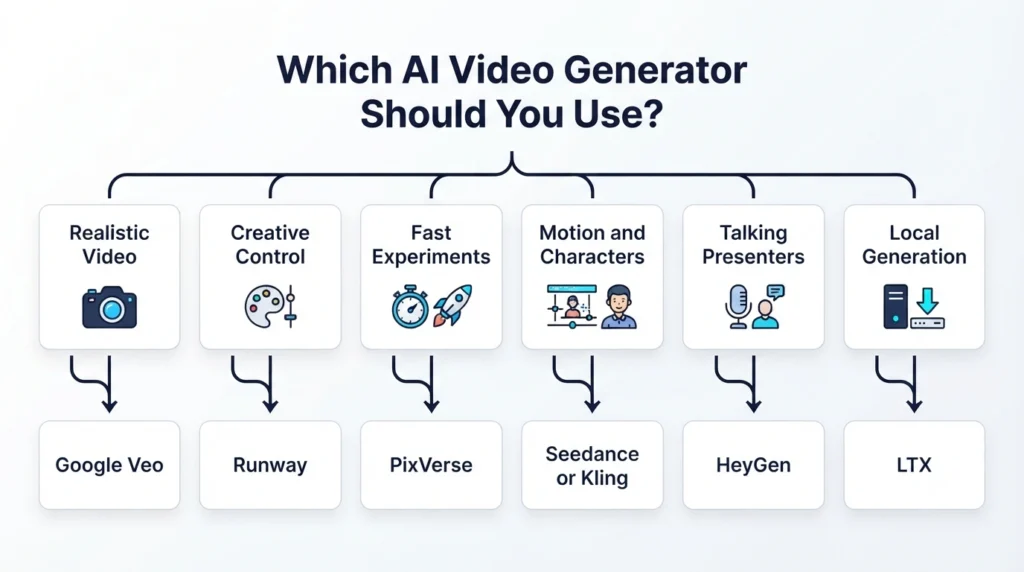
Choose Google Veo 3.1 if:
You want realistic, high-quality generated footage and strong text/image-to-video capabilities.
Choose Runway if:
You care about creative control and want a broader filmmaking-oriented workflow.
Choose PixVerse if:
You want to generate short clips quickly and experiment with different ideas.
Choose Seedance 2.0 if:
You want to combine text with visual, audio or video references and have more control over the scene.
Choose Kling if:
Human movement and character-focused video are your priority.
Choose Adobe Firefly if:
You work in a commercial creative environment and want a workflow built around Adobe’s ecosystem and commercially oriented Firefly model.
Choose HeyGen if:
You need talking presenters, marketing videos, training videos or avatar-based content.
Choose LTX if:
You have suitable hardware and want to explore local/open-source generation instead of relying entirely on cloud credits.
Final Verdict
There isn’t one best AI video generator in 2026 for every creator.
The better question is:
Which generator gives you the type of video you actually need at a cost you can live with?
For overall quality, Google Veo 3.1 is one of the strongest options to consider.
For creative control, Runway Gen-4.5 is a strong choice.
For fast experimentation, PixVerse V6 is worth trying.
For multimodal control and complex visual direction, Seedance 2.0 stands out.
For realistic human movement, Kling 3.0 deserves attention.
For presenter-led business videos, HeyGen makes more sense than a cinematic generator.
And if you want local generation, LTX is one of the more interesting open-source options.
Most importantly, don’t choose a tool just because it says “free.”
Check how many usable seconds you actually get, whether the export has a watermark, how many attempts you’ll need, what resolution is available, and whether the output can be used commercially.
That is the difference between finding a video generator that looks impressive for five minutes and finding one you can actually use for your next project.
These video tools are changing way too fast for any single setup to stay on top forever. If you are a creator or a business owner looking for ways to speed up other parts of your work besides just video clips, head over to our hands-on AI tool reviews for more practical tech notes and breakdowns.
Frequently Asked Questions
What is the best AI video generator in 2026?
Google Veo 3.1 is one of the strongest choices for overall video quality, but the best option depends on your workflow. Runway is better suited to creators who want more creative control, while HeyGen is more practical for presenter-based videos.
What is the best free video AI generator?
There is no single winner because free plans work differently. Some offer one-time credits, others provide limited recurring access, and open-source models can be run locally if your computer supports them.
Is there a video AI generator from text free?
Yes. Several platforms offer limited free access to text-to-video generation. However, free access may include restrictions on credits, resolution, duration, speed or watermarks.
Can I use AI-generated videos commercially?
Often yes, but you need to check the terms of the specific service and model. Commercial rights can differ between a platform’s own model and third-party models available through that platform.
Which AI video generator has no watermark?
That depends on the platform, plan and export method. Some free plans add watermarks while paid plans remove them. Never assume that “free” automatically means watermark-free.
Is a no-sign-up video generator safe?
Not necessarily. No sign-up only means the service does not require a traditional account for that particular workflow. It does not tell you how uploaded files are handled or whether the service is suitable for confidential content.
What is the best video AI generator from text?
Veo 3.1, Runway Gen-4.5, PixVerse V6, Seedance 2.0 and Kling 3.0 are all worth considering. The right choice depends on whether you care most about realism, control, motion, speed or cost.
Does a better prompt always produce a better video?
No. Prompt quality matters, but video models can still struggle with physics, hands, object permanence, character consistency and complex actions. Clear instructions about movement and camera behavior are usually more useful than simply adding more adjectives.
Is local AI video generation really free?
The software and model may be free or open source, but local generation still requires suitable hardware, electricity, storage and setup time. It is better described as avoiding recurring cloud-generation fees rather than being completely cost-free.
The Bottom Line
AI video generation is moving too quickly for a single permanent winner.
The best approach is to choose based on your actual project.
Need cinematic realism? Start with Veo.
Need creative control? Try Runway.
Need fast experimentation? Look at PixVerse.
Need multimodal control? Try Seedance.
Need realistic human movement? Test Kling.
Need an AI presenter? Use HeyGen.
Need local generation? Explore LTX.
And if you’re testing a free service, don’t stop at the first impressive clip. Generate enough footage to find out what the tool does when things don’t go perfectly.
That’s usually where the real difference between these generators becomes obvious.