Last updated on September 14th, 2026 at 07:44 pm
Your deadline is in four hours and the blank page hasn’t moved. That’s the exact moment the right AI Text Generator Tools earn their keep, turning a rough brief into a working draft in minutes instead of a blank cursor.
| Tool | Best For (Badge) | Free Tier | Starting Price | Key Advantage |
|---|---|---|---|---|
| ChatGPT | Best Overall Free AI Text Generator | Yes, unlimited text chats | $20/mo (Plus) | Broadest model lineup and agent features |
| Claude | Best for Long-Form Writing & Nuance | Yes, daily message cap | $20/mo (Pro), $17/mo annual | Careful tone control on long documents |
| Gemini | Best for Google Workspace Users | Yes, limited Pro access | $19.99/mo (AI Pro) | Deep Docs/Gmail integration, 1M-token context |
| Jasper | Best for Brand-Consistent Marketing Copy | No (7-day trial) | $59/mo annual ($69/mo monthly) | Brand Voice + Knowledge Base controls |
| Writesonic | Best for SEO-Driven Content | Yes, limited (Lite tier lacks GEO) | $79/mo annual (Starter, GEO unlocked) | Built-in SEO/GEO audit tools |
| Copy.ai | Best for GTM Teams on a Budget | Yes, 2,000 words/mo | $29/mo (Chat) | Workflow automation past just drafting |
| Rytr | Best Budget AI Generator Text Software | Yes, 10,000 characters/mo | $9/mo (Saver, capped 100k chars) | Cheapest capped plan; $29/mo removes the cap |
| Sudowrite | Best for Fiction Writers | No (10,000-credit trial) | From $10/mo (annual) | Story Bible + Muse model for prose |
| DeepSeek | Best Free Open-Source & Deep Reasoning AI | Yes, unlimited | Free (no paid consumer tier) | Open-weight reasoning model at zero cost |
Prices reflect published monthly and annual-billing rates as of September 2026 and change often — confirm current numbers on each vendor’s pricing page before you buy.
In This Article
ToggleHow to Choose the Right AI Text Generator Tools
1. ChatGPT — Best Overall Free AI Text Generator
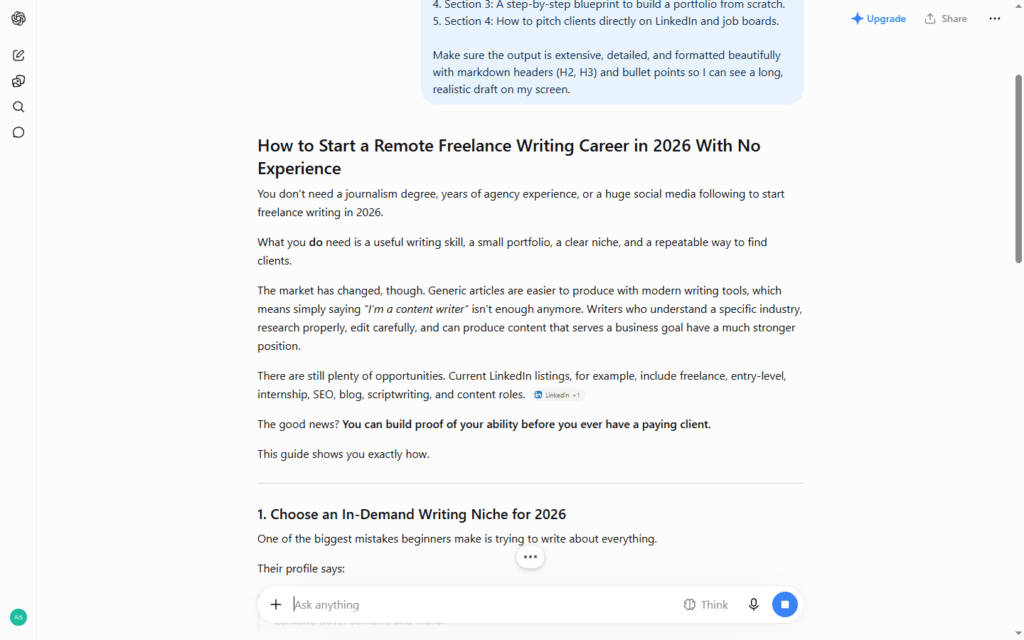
ChatGPT remains the default starting point for anyone learning how to use an AI text generator, mostly because the free tier is genuinely usable rather than a stripped-down demo. It handles blog drafts, outlines, code-adjacent writing, and conversational tone-matching without much prompt engineering, and Custom GPTs let you save a persona (say, “snarky product marketer”) so you’re not rebuilding context every session. For more on the company behind it, see our OpenAI deep dive.
Where it shows real strain is long-document consistency — past roughly 3,000–4,000 words in a single thread, callbacks to earlier details start slipping unless you paste them back in. Paid tiers add higher usage ceilings and priority access to the flagship reasoning model, which matters for research-heavy writing more than for short-form copy.
Hidden Pro-Tip: Open a fresh chat and paste your last three published pieces before asking for a new draft, then say “match the sentence rhythm and paragraph length of these, not just the topic.” Voice-matching from raw samples beats describing your tone in adjectives almost every time.
Pros:
- Free tier is fully usable for daily writing, not just a trial
- Custom GPTs save reusable personas and instructions
- Fast at short-form copy: captions, subject lines, product blurbs
Cons:
- Long threads lose track of earlier details without manual reminders
- Deep Research and higher-effort modes are capped even on paid tiers
- Output tone can default to a generic “helpful assistant” register unless steered hard
Testing Verdict: Buy it if you want one flexible tool for writing, research, and quick chat without paying anything upfront. Skip it if you need consistent long-document tone without re-pasting context.
2. Claude — Best for Long-Form Writing & Nuance
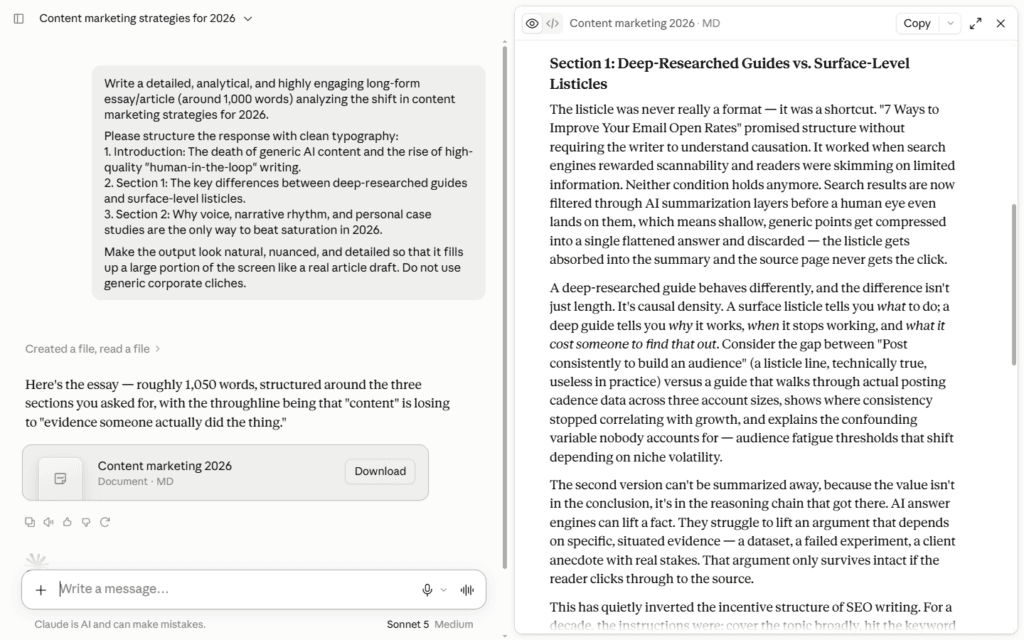
Claude’s edge shows up specifically on longer, structurally complex writing — a 2,500-word case study, a nuanced client email, a piece that needs to hold a consistent argument across many paragraphs. It tends to resist the “AI smell” (the game-changer-delve-tapestry cluster of words) more than most competitors by default, and it’s noticeably better at holding a requested tone — dry, warm, skeptical — across an entire piece rather than drifting back to neutral after a few paragraphs. For a full breakdown of the model behind this, see our Anthropic’s Claude guide.
It’s less template-driven than Jasper or Rytr, so there’s a small learning curve if you’re used to fill-in-the-blank generators: you’re writing instructions in plain English rather than picking from a dropdown. That flexibility pays off once you’re comfortable with it, especially for editing existing drafts rather than generating from scratch.
Hidden Pro-Tip: Instead of asking Claude to “make this better,” paste your draft and ask it to list the three weakest sentences and why, before touching a single word. Reviewing the diagnosis first stops it from rewriting sentences that were already fine.
Pros:
- Holds a specified tone consistently across long documents
- Strong at rewriting and structural editing, not just first drafts
- Lower rate of generic AI-sounding phrasing out of the box
Cons:
- Fewer built-in templates than dedicated marketing tools like Jasper
- No native image generation inside the chat product
- Free tier’s daily message cap is tighter than ChatGPT’s for heavy users
Testing Verdict: Buy it if you’re a writer or editor who cares more about prose quality on long pieces than template speed. Skip it if you want fill-in-the-blank templates instead of plain-English instructions.
3. Gemini — Best for Google Workspace Users
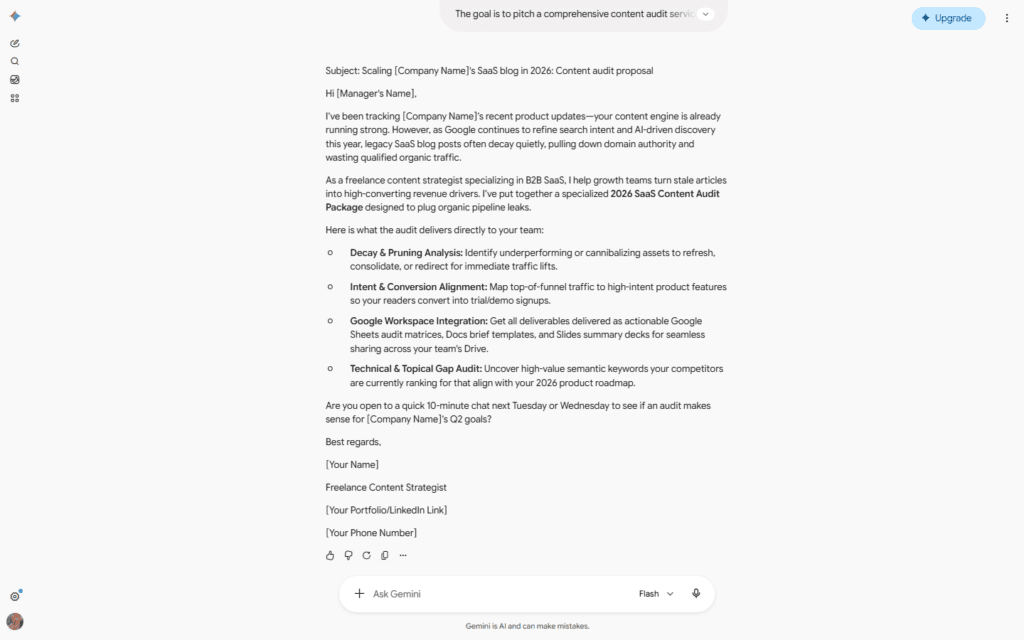
If your writing already lives in Google Docs, Gmail, and Sheets, Gemini’s advantage isn’t raw output quality — it’s that the AI generator text tool sits inside the apps you’re already using instead of requiring a copy-paste workflow. Drafting a reply directly in Gmail or summarizing a shared Doc without leaving the tab saves real time across a week of writing.
The 1-million-token context window on the Pro tier is a genuine differentiator for anyone feeding in long source material — full reports, transcripts, multiple chapters — and asking for synthesis rather than a short answer. Output quality on pure creative writing is a step behind Claude and ChatGPT in our testing, with a tendency toward safer, more literal phrasing.
Hidden Pro-Tip: Use Gemini inside Docs to draft against a source document that’s already open in another tab — reference it by name (“using the Q3 report tab”) rather than pasting it in, and it will pull details from the open context instead of you re-uploading the same file every session.
Pros:
- Native integration inside Docs, Gmail, and Sheets
- 1M-token context window handles very long source material
- Free tier includes limited access to the flagship Pro model
Cons:
- Creative and conversational writing feels more literal than rivals
- Plan names and pricing have changed multiple times in 2026, causing confusion
- Full feature set is tied to a Google account and storage bundle, not just writing
Testing Verdict: Buy it if you’re already deep in Google Workspace and want AI writing without adding a new app. Skip it if creative or conversational writing quality is your top priority.
4. Jasper — Best for Brand-Consistent Marketing Copy
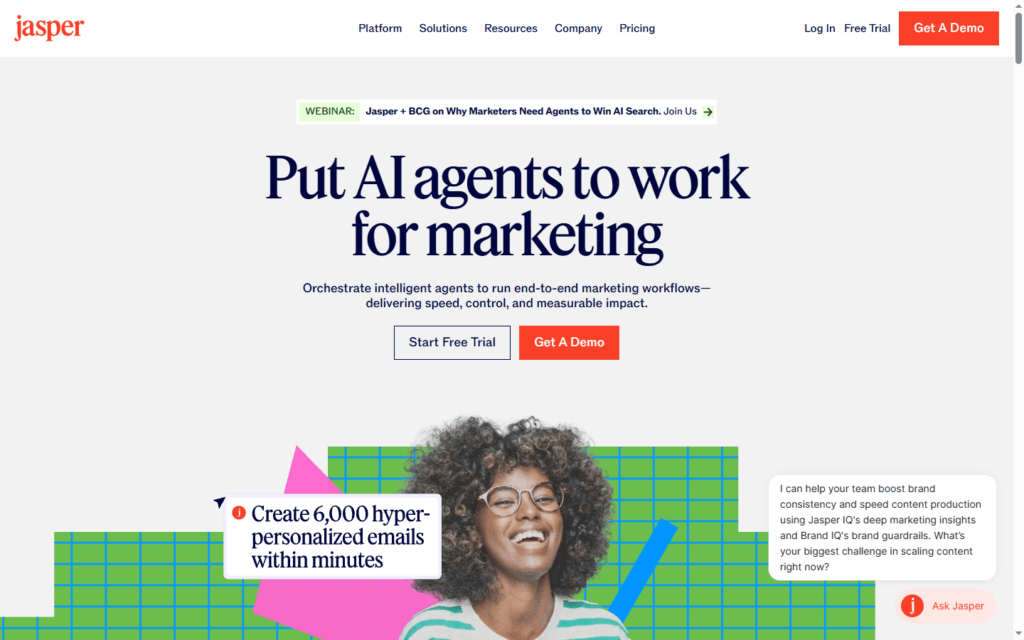
Jasper is built for teams that need dozens of pieces of copy to sound like the same brand wrote all of them. Its Brand Voice, Knowledge Base, and Style Guide settings let you feed in past content once, and subsequent drafts pull from that context automatically rather than you re-explaining tone in every prompt — a real time-saver once it’s set up, even if the setup itself takes an hour or two.
The trade-off is cost and complexity for anyone who doesn’t need multi-brand, multi-seat collaboration. Jasper’s entry tier runs $59/month billed annually ($69/month billed monthly) — a solo blogger paying that for features designed around agency workflows is paying for headroom they won’t use. It’s also one of the few tools here with no permanent free tier — just a 7-day trial.
Hidden Pro-Tip: Build your Knowledge Base from customer support transcripts, not just marketing copy — the phrases customers actually use tend to make Jasper’s output sound more human than pulling only from your own polished blog posts.
Pros:
- Brand Voice and Knowledge Base cut re-explaining tone every session
- Mature feature set: browser extension, campaign workflows, built-in chat
- Handles multi-brand management for agencies well
Cons:
- No permanent free plan, only a 7-day trial
- Pricing is steep for solo users compared to Rytr or Copy.ai
- Setup time for Brand Voice and Knowledge Base is nontrivial
Testing Verdict: Buy it if you’re producing on-brand content across a team. Skip it if you’re a solo writer who won’t touch Brand Voice or the Knowledge Base.
5. Writesonic — Best Free AI Text Generator for SEO-Driven Content
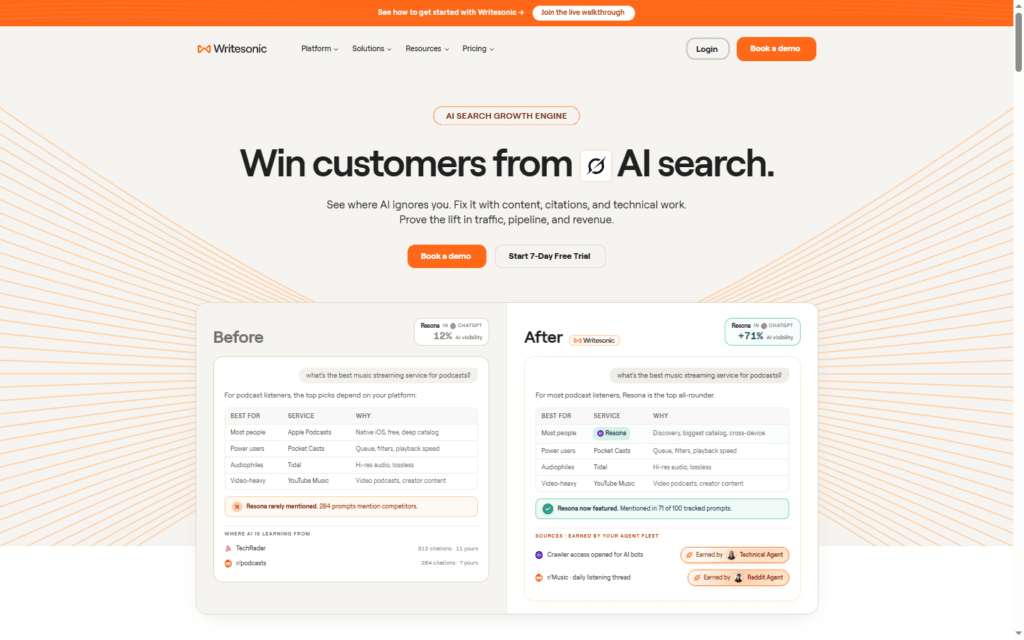
Writesonic’s AI Article Writer folds keyword research, competitor analysis, and outline generation into one guided flow, which is genuinely useful if SEO strategy isn’t your day job and you’d otherwise be juggling three separate tools. It’s one of the few options on this list with both a usable free tier and dedicated Generative Engine Optimization (GEO) tracking — checking how your content shows up in AI answer boxes rather than only traditional search.
Pricing here needs a careful read: the $39/month (annual) Lite plan is entry-level and has no GEO tracking at all — it’s article generation and basic SEO only. GEO monitoring, the feature Writesonic is actually built around now, only unlocks on the Starter plan at $79/month billed annually ($99/month monthly), which is the real starting price for anyone who wants the tool’s headline capability rather than just an article writer.
Hidden Pro-Tip: Run the same target keyword through the article writer twice with different “unique angle” instructions (e.g., “written for someone who already tried the obvious solution and failed”) — the second draft is usually far less generic than the first because it’s not defaulting to the most common framing.
Pros:
- Guided 10-step article flow bakes in keyword and competitor research
- Genuine free tier, not just a time-limited trial
- GEO tracking is ahead of most competitors on this list
Cons:
- GEO and advanced SEO features are locked behind pricier plans
- Article writer output needs a real edit pass for voice
- Plan names have shifted several times, making pricing pages confusing
Testing Verdict: Buy it if AI search visibility matters as much as the writing itself and you’re on the $79/mo Starter tier or above. Skip it if you’re pricing based on the $39/mo Lite plan expecting GEO features — it doesn’t have them.
6. Copy.ai — Best AI Generator Text Tools for GTM Teams on a Budget
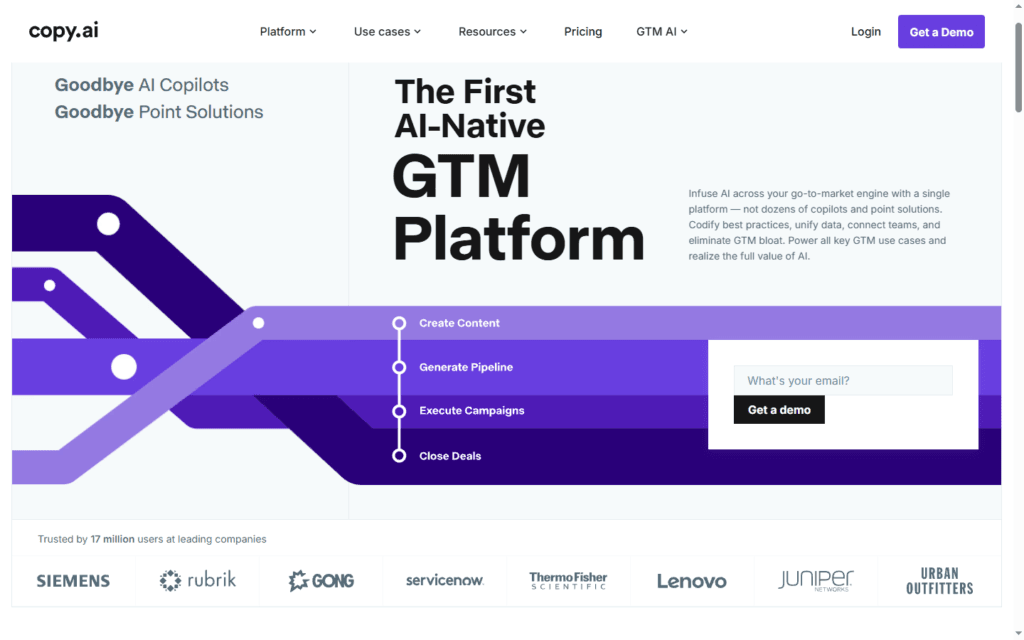
Copy.ai has quietly repositioned from a pure AI generator text tool into a go-to-market automation platform, layering Workflows and Agents on top of its original short-form copywriting core. For a solo user, the free plan (2,000 words/month, 90+ templates) is a genuinely no-strings way to test whether AI writing fits your process before paying anything.
Where it earns its keep now is repeatable, multi-step content: an email sequence that pulls from a CRM field, an ad set generated from a product description automatically. The paid entry point is the Chat plan at $29/month, and if you only want a chat box for one-off drafts, that positioning works against you — there’s a real jump in price and complexity once you move past that entry Chat tier.
Hidden Pro-Tip: Before building a multi-step Workflow, run the individual steps manually in Chat first and save the prompts that worked — Workflows are much easier to debug when you already know each stage produces good output on its own.
Pros:
- Real, permanent free tier with no credit card required
- Workflows automate repeatable, multi-step content, not just single drafts
- Supports multiple underlying models (OpenAI, Anthropic, Gemini) in one place
Cons:
- Free plan’s 2,000-word cap is tight for regular use
- Big pricing gap between the entry tier and team/workflow plans
- Positioning has shifted enough that older reviews describe a different product
Testing Verdict: Buy it if you’re a GTM or marketing team building repeatable pipelines. Skip it if you just want occasional short copy — the free tier or Rytr covers that more cheaply.
7. Rytr — Best Budget AI Generator Text Software
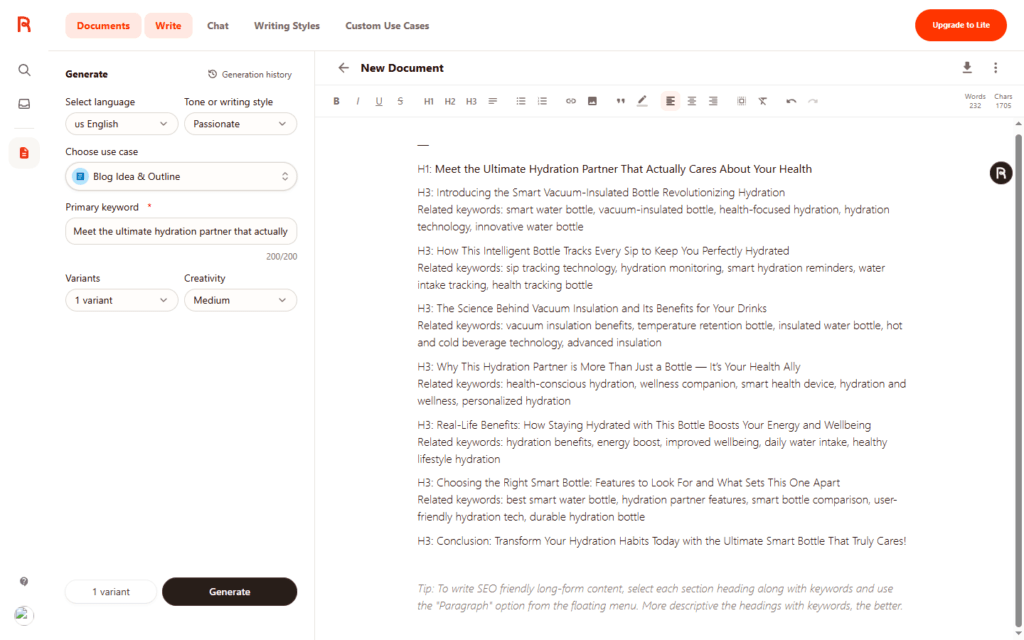
Rytr is the cheapest paid step up from the free tier, but the naming trips people up: the $9/month Saver plan (about $7.50/month billed annually) still caps you at 100,000 characters a month — it’s affordable, not unlimited. Genuinely uncapped generation is the Unlimited plan at $29/month (around $24/month billed annually), which is still cheap next to $59–79/month entry points on Jasper or Writesonic. The free tier is unusually generous for a permanent (non-trial) plan either way — 10,000 characters a month, all 40+ use cases, and a plagiarism checker included even before you pay anything.
The trade-off is depth. Rytr is template-driven rather than open-ended, which makes it fast for short, repetitive formats (product descriptions, ad variations, email subject lines) and noticeably weaker once you ask for longer-form reasoning, nuanced argument, or anything that needs real structural editing.
Hidden Pro-Tip: Use the “Improve” and “Expand” tools on a paragraph you wrote yourself instead of generating from scratch — Rytr is much better at editing your existing sentence than inventing an equally good one from a blank prompt.
Pros:
- Saver plan ($9/mo) is one of the cheapest paid tiers in this whole list, capped or not
- Genuinely usable permanent free tier, not a countdown trial
- 40+ templates and 30+ languages cover most short-form needs
Cons:
- Weak at long-form structure and nuanced argument
- No brand voice or knowledge-base features for consistency at scale
- Feels template-bound compared to open-chat tools like Claude or ChatGPT
Testing Verdict: Buy it if you’re a solo creator producing high-volume short-form content on a tight budget — just confirm you need Unlimited ($29/mo) before assuming Saver ($9/mo) has no cap. Skip it if you write long-form pieces that need structural editing help.
8. Sudowrite — Best for Fiction Writers
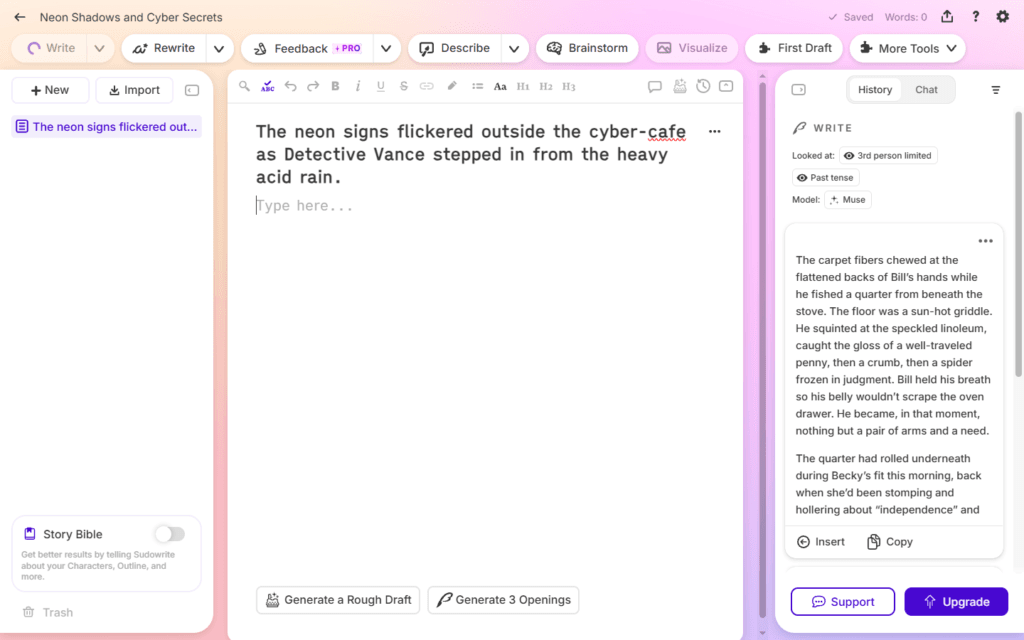
Sudowrite is the one tool here not trying to be a general-purpose AI text generator — it’s built specifically around drafting fiction, and it shows. The Story Bible tracks characters, plot beats, and style so the tool doesn’t forget who your protagonist is by chapter twelve, and Describe/Brainstorm generate sensory detail or character names on demand instead of forcing you to invent every small detail yourself.
Its credit-based pricing takes getting used to: a single Muse-generated chapter (~2,400 words) can burn tens of thousands of credits, so the entry Hobby plan covers editing and shorter passages better than drafting full chapters from scratch. There’s no permanent free plan, only a one-time 10,000-credit trial.
If Sudowrite’s credit math is the problem, not the fiction focus, NovelCrafter’s BYOK pricing plans are worth a look before you commit. NovelCrafter charges a flat $8/month (Hobbyist tier) for its Codex-based story bible and planning tools, then lets you bring your own API key to whichever model you want — you pay that provider directly instead of a credit markup. It’s a genuinely different trade: lower predictable software cost, more setup work, and a model bill that scales with your actual usage instead of Sudowrite’s bundled-but-opaque credit burn.
Hidden Pro-Tip: Feed the Story Bible a few lines of dialogue from a real conversation you’ve had (with permission, or your own conversations) before generating character dialogue — it noticeably reduces the stilted “AI dialogue” cadence that’s Sudowrite’s most common criticism.
Pros:
- Story Bible keeps character and plot details consistent across long projects
- Describe/Brainstorm tools solve specific fiction bottlenecks (sensory detail, naming)
- Muse model is tuned for prose rather than general business writing
Cons:
- Credit system makes cost unpredictable for heavy drafting
- No permanent free plan, just a one-time trial allowance
- Controversial in some writing communities regardless of output quality
Testing Verdict: Buy it if you’re actively drafting fiction and want a Story Bible to track it, plus a bundled model you don’t have to configure. Skip it if unpredictable credit costs bother you more than setup time — NovelCrafter’s BYOK model trades convenience for cost control.
9. DeepSeek — Best Free Open-Source & Deep Reasoning AI
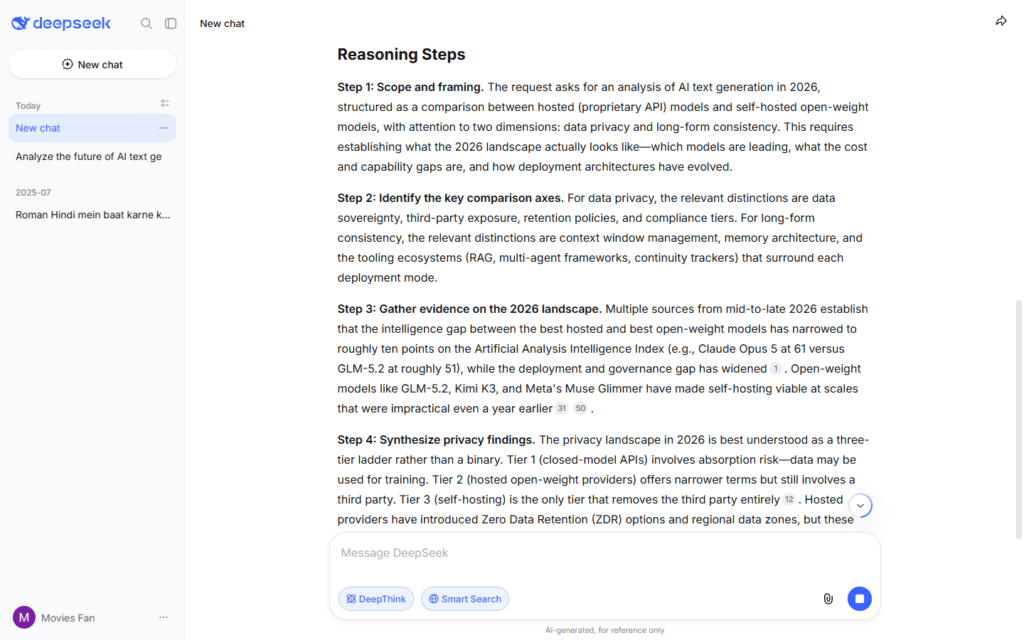
DeepSeek is the outlier on this list: it’s not a marketing-copy tool at all, but its free web chat produces genuinely strong long-form writing and structured reasoning at zero cost, which earns it a slot for budget-conscious writers willing to work with a plainer interface. Toggle on DeepThink and the model shows its work — planning an article’s argument step by step before drafting — which is useful when you want to sanity-check the reasoning behind a piece, not just the prose. Because the underlying weights are open, developers and technical writers can also self-host it instead of depending on a hosted service at all.
The trade-offs are real and worth knowing before you commit to it as your main tool. There’s no dedicated “writing mode,” templates, or brand-voice memory the way Jasper or Copy.ai offer, so longer projects benefit from copy-pasting your own style guide into the prompt each time. Hosted chat data is also stored in China and several governments have restricted the official app, which matters if data residency is a factor for your work — self-hosting the open-weight model sidesteps that specific concern, at the cost of running your own infrastructure.
Hidden Pro-Tip: Turn on DeepThink before asking for a draft, then ask it to output only its outline and reasoning first — approve that, then ask for the prose separately. Skipping straight to “write me the article” wastes the reasoning mode’s actual advantage.
Pros:
- Free web chat with no message caps, unusual among tools this capable
- Open-weight (DeepSeek reasoning model) can be self-hosted for full data control
- DeepThink mode shows reasoning steps, useful for structuring arguments before drafting
Cons:
- No writing-specific templates, brand voice, or style memory
- Hosted chat data storage and app availability vary by region and government restriction
- Interface is built for general chat and coding, not content workflows
Testing Verdict: Buy it if you want frontier-level free writing help and don’t mind a plain chat interface. Skip it if data residency or built-in marketing templates matter more to you than cost.
How to AI Text Generator: A Complete Tutorial for Beginners
New to the category? This ai generator text tutorial for AI Text Generator beginners covers the four steps between a blank prompt and a draft you’d actually publish.
Step 1: Write a brief, not just a topic. “Write a blog post about email marketing” produces generic filler. Instead, give the tool an audience (“small e-commerce owners”), a goal (“convince them to try automated flows”), and a constraint (“under 800 words, conversational tone”). The more specific the brief, the less editing you’ll do later.
Step 2: Generate a structure before you generate prose. Ask for an outline first — headings and one-sentence descriptions of each section — and approve or adjust it before asking for full paragraphs. Catching a structural problem in a five-line outline takes seconds; catching it in a finished 1,200-word draft takes a full rewrite.
Step 3: Generate the draft in sections, not all at once. Long single-shot generations tend to drift in tone and repeat themselves. Generate one section, skim it, then move to the next — you’ll catch issues early instead of untangling them from a wall of text.
Step 4: Fact-check and edit before publishing. AI text generators produce fluent, confident-sounding text regardless of whether the underlying facts are correct. Verify any statistic, date, or claim independently, then do a pass for your own voice — swap out any phrasing that sounds like “an AI wrote this” for how you’d actually say it. For a closer look at what makes writing sound machine-generated in the first place, see our guide on AI detector patterns.
Advanced AI Text Generation Tips & Real Examples
Once the basics click, these AI Text Generator tips push output from usable to genuinely good. Below are three ai generator text examples contrasting a generic prompt with a constrained, advanced version — for a deeper breakdown of prompt structure, see our guide on AI editing prompts that actually work.
Tone
- Bad/Generic Prompt: “Write this in a friendly tone.”
- Advanced/Constrained Prompt: “Write this the way you’d explain it to a coworker over coffee — contractions are fine, no exclamation points, and cut any sentence that sounds like a press release.”
Structure
- Bad/Generic Prompt: “Make this blog post better organized.”
- Advanced/Constrained Prompt: “Restructure this into: a one-sentence hook, three sections each starting with a concrete example before the explanation, and no summary paragraph at the end — just stop after the last point.”
Voice-Matching
- Bad/Generic Prompt: “Write like me.”
- Advanced/Constrained Prompt: “Here are three paragraphs I’ve written before [paste samples]. Match my average sentence length, my habit of starting sentences with ‘and’ or ‘but,’ and my avoidance of adjectives — don’t just copy the topics, copy the rhythm.”
The pattern across all three: naming the specific behavior you want (or don’t want) beats describing a general mood. When should I use AI Text Generator constraints this specific? Any time the first draft technically answers the prompt but doesn’t sound like something you’d publish under your own name.
AI Data Privacy & Model Training Checklist (2026)
Before you paste a client draft or an unpublished manuscript into any AI text generator, run through this:
- Check the model-training default, not just the privacy policy’s existence. Most consumer tools train on your conversations by default unless you opt out. In ChatGPT, you can turn off model training in ChatGPT settings under Data Controls, or via the separate privacy portal — either one is sufficient. Claude’s consumer privacy controls work the same way: training is opt-in on Free, Pro, and Max plans, and off by default on Team and Enterprise.
- Know where hosted data physically sits. This matters most for regional compliance and for tools with less transparent infrastructure — DeepSeek’s hosted chat, for instance, stores data in China, which has led some governments and employers to restrict the app entirely even though the underlying model is open-weight and self-hostable.
- Treat “free” tiers as the least private option by default. Free plans generally have the least generous opt-out controls and the most usage-based incentive to train on your input — if a project is genuinely sensitive, a paid tier with an explicit no-training guarantee (or a self-hosted open-weight model) is the safer default, not an afterthought.
Frequently Asked Questions
What is an AI Text Generator and how does it work?
An AI Text Generator is software built on a large language model that predicts and produces human-like text from a prompt. Under the hood, these models were trained on enormous amounts of text and learned to generate plausible continuations word by word — which is also why they can write fluent sentences that are factually wrong if you don’t check them.
Which AI Text Generator tool is best?
It depends on the job. ChatGPT is the strongest general-purpose free option, Claude edges ahead on long-form nuance and tone control, Jasper wins for brand-consistent marketing at scale, Rytr wins on price among paid tiers, DeepSeek wins on price at the very top (free, with genuine reasoning depth), and Sudowrite is the one genuinely specialized pick for fiction. There isn’t one tool that’s best for every use case in this list.
When should I use AI Text Generator?
Reach for one when you have a clear brief and need a fast first draft, a structural rewrite, or help getting past a blank page — not when you need guaranteed factual accuracy without verification, or when the writing needs to reflect lived experience an AI doesn’t have. Templated, repetitive content (product descriptions, ad variations) is where these tools save the most time relative to writing from scratch.
How much do these ai generator text software tools cost?
Costs range from free (ChatGPT, Claude, Gemini, Copy.ai, Rytr, Writesonic, and DeepSeek’s chat all offer functional free tiers) to as little as $9/month for Rytr’s capped Saver plan or $29/month for its truly unlimited tier, up through $59–79/month for Jasper’s and Writesonic’s paid entry plans and $200/month for ChatGPT’s or Claude’s highest usage tiers. Jasper and Sudowrite are the two tools here without a permanent free option — both offer short trials instead. Check each vendor’s current pricing page before subscribing, since these numbers shift often.