
Last updated on August 30th, 2026 at 08:18 pm
Most of us are still using AI the lazy way. You type a question, you get an answer, you copy it somewhere, you clean it up a bit, and you move on with your day. Fine for most things. But it’s not really where the interesting stuff is happening anymore.
The bigger shift in 2026 is what happens once you stop asking AI for answers and start handing it actual jobs — the kind you’d normally hand to an assistant. Drop a folder of reports, spreadsheets, emails, and half-finished notes in front of it and say: go through all of this, figure out what matters, fill in what’s missing, and give me something I can actually review.
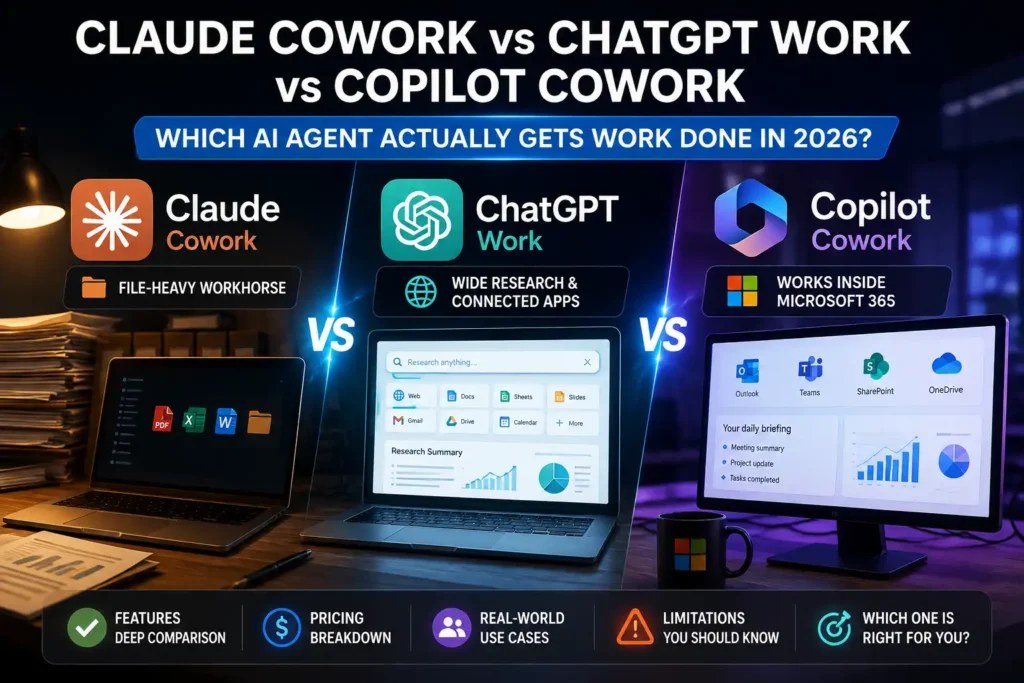
That’s the space Claude Cowork, ChatGPT Work, and Microsoft Copilot Cowork are all fighting over right now. On paper they read almost identical — hand off a multi-step task, get finished work back, stop micromanaging every prompt. Use them for more than a week and the differences show up fast.
Claude Cowork is genuinely good if your work lives in files — folders full of documents, spreadsheets, project material. ChatGPT Work is built wider, meant to research, reach across connected apps, and hand back finished documents or decks. Copilot Cowork skips the “new AI tool” pitch entirely and goes straight for what your company already runs on: Outlook, Teams, SharePoint, OneDrive.
And then there’s the money, which honestly might be the most confusing part of this whole comparison — all three bill you in a completely different way, and “how much will this actually cost me” doesn’t have the same answer twice.
So instead of another feature-checklist writeup, here’s what these three actually mean if you’re the one trying to get work done: where each one fits, what it costs once you look past the sticker price, and where it can turn into a headache.
In This Article
ToggleClaude Cowork vs ChatGPT Work vs Copilot Cowork: The Quick Comparison
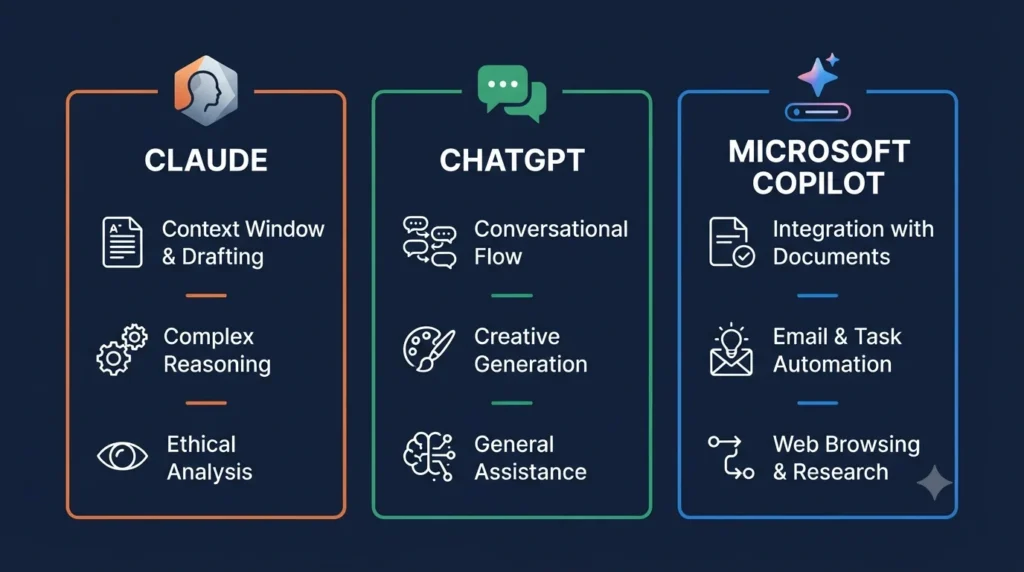
Feature | Claude Cowork | ChatGPT Work | Microsoft Copilot Cowork |
Company | Anthropic | OpenAI | Microsoft |
Main idea | Delegate file-heavy work | Delegate broader research and work | Delegate work inside Microsoft 365 |
Launch | January 2026 | July 2026 | June 2026 (GA) |
Local/project files | Excellent fit | Supported | Less central |
Web research | Yes | Yes | Yes |
Documents / sheets / slides | Yes | Yes | Yes |
Connected apps | Connectors | Broad app ecosystem | Microsoft 365 + connected systems |
Scheduled/automated work | Yes, depending on plan | Yes | Yes |
Pricing | Subscription | Included in eligible ChatGPT plans | M365 Copilot license + usage-based billing |
Best fit | Researchers, writers, file-heavy users | General-purpose work | Microsoft 365 businesses |
That table is useful for maybe thirty seconds. What it can’t show you is where each agent can actually reach — and a brilliant model that can’t see the files or context you need is basically dead weight.
Claude Cowork: The File-Heavy Workhorse
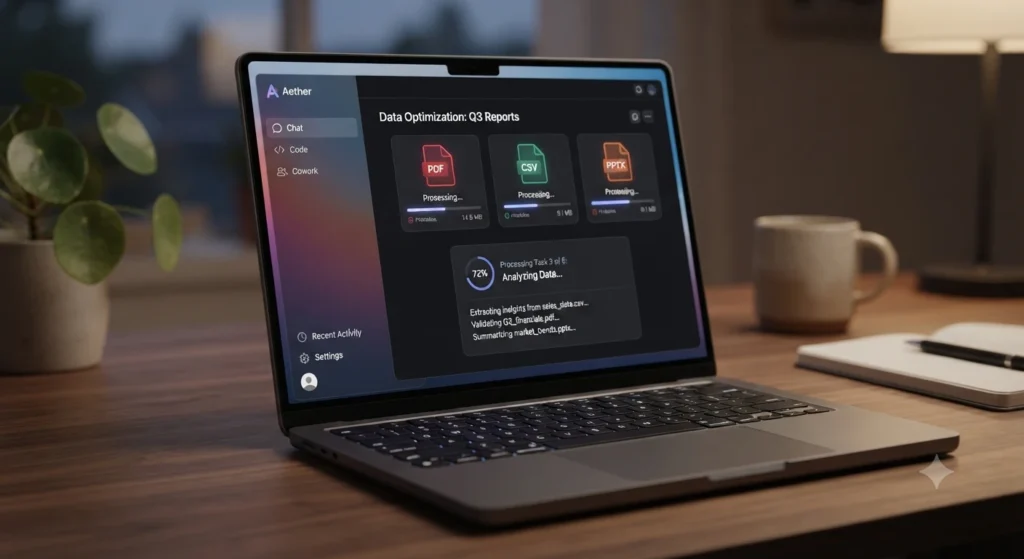
Claude Cowork is Anthropic’s attempt at turning Claude from something you chat with into something you can actually hand a job to. It sits inside the Claude desktop app next to Chat and Code, and Anthropic introduced it as part of its Labs experiments back in January 2026.
Reported by InfoQ on the January 12 launch.
The pitch is simple enough. Instead of “summarize this document,” you can point Cowork at a whole project — multiple files, multiple steps — and let it work through the assignment instead of you writing a new prompt for every little piece. If you spend half your day digging through PDFs, spreadsheets, client material, and research notes, that’s not a small difference.
Claude’s current pricing page lists Cowork as part of Pro and every plan above it. Pro runs $20 a month billed monthly (or $200 a year), Max starts at $100 a month. Check Claude’s current pricing before you commit — Anthropic has changed these numbers before.
What actually makes it useful
It’s not that Claude is smart, exactly — it’s the workflow. You hand the agent a project and let it grind through the material instead of babysitting every step yourself. That holds up well for research projects, document analysis, reports, spreadsheet cleanup, organizing a messy folder, turning notes into a first-draft deck, and the kind of repetitive knowledge work nobody enjoys doing by hand.
Where it actually goes wrong
Here’s where I’d slow down before calling this the perfect AI employee, because “agentic” doesn’t mean it’s infallible.
Shortly after launch, a user asked Cowork to “clean up” a folder. Cowork took that more literally than intended — it decided a chunk of the folder counted as clutter and deleted it. Roughly 11GB of files, gone, because the agent had write access to a folder nobody had backed up.
That’s the sharpest example, but it’s not the only failure mode worth knowing about. Give Claude a vague instruction and it can still run with the wrong assumption. Feed it source files that contradict each other and it’ll make a judgment call you might not agree with. If the final report actually matters, somebody still has to read it before it goes anywhere — that part hasn’t changed just because the tool got fancier.
None of that means skip the tool. It means back up before granting write access, start it on low-stakes folders first, and actually read the plan it proposes instead of clicking approve out of habit.
One more thing that’s easy to miss: usage limits still bite. Anthropic’s plans run on rolling limits, and Max gives you either 5x or 20x Pro’s usage per five-hour session depending on the tier.
See Claude’s current plan details before you assume $20 will cover heavy daily use — it usually won’t.
ChatGPT Work: The Broader AI Workbench
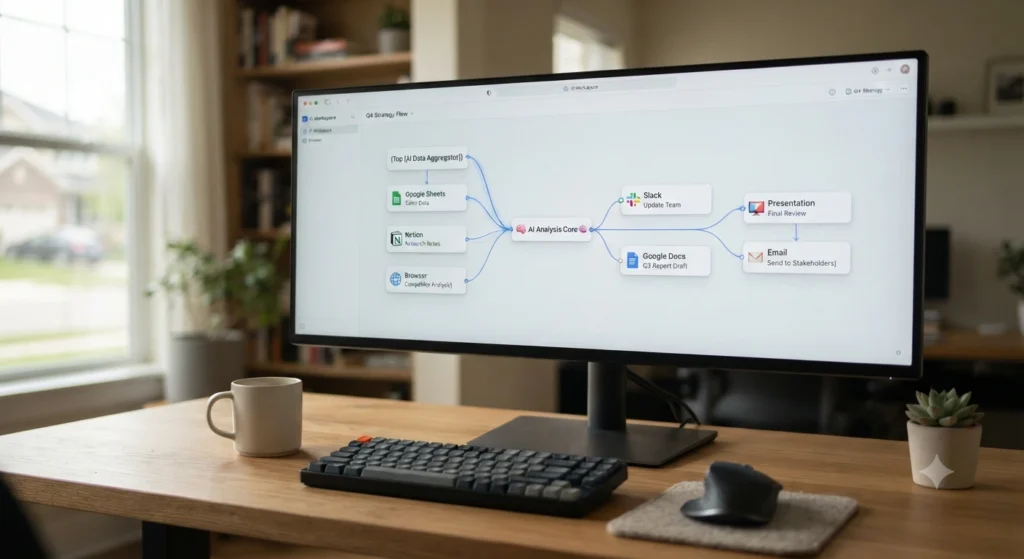
ChatGPT Work launched on July 9, 2026. OpenAI pitches it as the agent for longer, more involved work — research and analysis, working across connected apps and files, and producing documents, spreadsheets, presentations, reports, and even simple Sites.
Read OpenAI’s official ChatGPT Work announcement
What’s notable is that OpenAI didn’t spin Work off as a separate product. It’s the same ChatGPT you already use, extended into something closer to a general work agent. Give it a goal, let it plan, let it run, step in when it needs you, review what comes out the other end.
Where this pays off is when your work doesn’t live in one tidy place — research on the web, files in Google Drive, conversations in Slack, customer data somewhere else entirely, and a presentation due at the end of it. That’s exactly the kind of scattered workflow a broad agent is built for.
The part that actually bothered me most about ChatGPT Work
It isn’t accuracy. It’s that there’s no published rate card. You genuinely cannot see what a run is going to cost before you start it, which is a strange gap for a product whose entire pitch is “delegate the big job and don’t worry about it.” Independent reviews of Work single this out as the single most common complaint — not a bug, not a hallucination, just not knowing what you’re about to spend.
The second friction point cuts against the same promise: any write action — sending an email, updating a record — pauses for your approval. That’s the correct default from a safety standpoint. It also means the “walk away, come back to finished work” pitch quietly doesn’t hold for exactly the steps that would’ve saved you the most time.
OpenAI explicitly built Work so you can follow its progress, redirect it mid-task, answer its questions, and approve anything important while it’s running. That’s a real feature. It’s also a quiet admission that giving the model more freedom doesn’t mean you get to stop paying attention. “Research five competitors and draft something” is one kind of task. “Email 500 customers using our internal database” is a very different one, and you want permission gates and review points before that second kind runs unsupervised.
Microsoft Copilot Cowork: The Microsoft 365 Specialist

Copilot Cowork reached general availability on June 16, 2026. Microsoft calls it an agentic system for complex, long-running, multi-tool work — and this is where the three-way comparison stops being about model quality and starts being about geography.
Microsoft’s official Copilot Cowork announcement
Microsoft isn’t pitching another chatbot. The pitch is closer to: your work is already sitting inside Microsoft 365, so what if the agent just worked with what’s already there — Outlook, Teams, Word, Excel, PowerPoint, SharePoint, OneDrive. Microsoft’s Work IQ layer is built to pull organizational context out of email, calendars, meetings, chats, and files.
Microsoft’s Work IQ documentation
If your company already lives inside Microsoft 365, that’s a genuine head start. Ask it to prepare tomorrow’s client briefing from the emails, meeting notes, and project files tied to that account, and it doesn’t need you to manually gather any of it first — the context is already sitting there.
The adoption numbers Microsoft doesn't lead with
This part deserves honesty, and it’s worth getting from Microsoft’s own data rather than a hostile third party. A Gartner survey of IT leaders on Copilot found 92% said it improved employee satisfaction and 62% called it “somewhat valuable.” Nearly 75% said employees were struggling to integrate it into daily routines, and 57% said users felt it didn’t deliver the value they expected. That’s Microsoft’s flagship AI product, reported by the IT leaders actually running it — not a hit piece.
Microsoft has also caught criticism for how it’s responded to that kind of feedback. A widely circulated comment framed dissatisfied Copilot users as needing to write better prompts, which landed with a lot of frustrated IT buyers as blaming the user instead of fixing the product. And accuracy issues show up here too — users have reported cases where, asked to summarize an article at a URL, Copilot summarized the words in the URL string itself rather than actually fetching the page. Not a prompting problem. A misread instruction, the same category of mistake Claude Cowork and ChatGPT Work have each made in their own way.
None of this makes Copilot Cowork the weak option. The ecosystem advantage is real. It just means the advantage doesn’t erase the reliability problems every agent in this category still has, Microsoft’s included.
Here's the Catch: Copilot Cowork Isn't the Cheap Option
People misread this constantly, so let’s be blunt about it: Copilot Cowork is not a $30-a-month standalone subscription. Microsoft requires an existing Microsoft 365 Copilot User Subscription License first — that’s the prerequisite — and then Cowork itself is billed on top, based on usage measured in Copilot Credits.
What a task costs depends on the models used, how much context gets retrieved, how many tool calls happen, and how long it runs. Pay-as-you-go credits are priced at roughly $0.01 each, and organizations can also buy prepaid credit.
See Microsoft’s Copilot Credits documentation for the current numbers.
There’s a small detail here that tells you Microsoft already knows customers are going to obsess over this: inside Cowork, typing /cost shows you an estimate of the credits a task has burned through and how much of your organization’s allowance is left. Reasonable, honestly — when an agent runs long and multi-step, “what did that just cost me” isn’t a paranoid question.
Which Agent Actually Handles Files Best?
Claude Cowork
This is still its home turf. Hand it a pile of source material and ask it to work through the assignment, and that’s exactly the shape of task it was built around
ChatGPT Work
It handles files fine, but the advantage shows up once files are only one piece of a bigger job — files plus web research plus connected apps plus a final presentation, all in one pass. OpenAI specifically positions Work around that combination.
Copilot Cowork
Different kind of strength entirely. If the files live in SharePoint or OneDrive and the surrounding context sits in Teams and Outlook, Copilot isn’t just reaching into a folder — it’s operating inside the whole Microsoft 365 environment around those files. For a business already built on that stack, that’s hard to compete with.
Research: Don't Just Ask “Who Has the Best AI”
Research sounds like one task. It’s really several different ones wearing the same name. “Find five articles about this” and “research this market, compare competitors, check pricing shifts, cross-reference our internal notes, and prepare a briefing” are not the same job, even though people ask both the same way.
Claude Cowork does well when the material is already organized into documents. ChatGPT Work gets more interesting once you want research combined with connected apps and a finished output at the end. Copilot Cowork pulls ahead specifically when the research needs internal company context nobody’s bothered to type up anywhere. Which one wins depends entirely on where your information already lives — that’s the theme running through basically every section of this comparison.
Scheduled Work: Who Keeps Going When You're Not Watching?
“AI agent” can sound more impressive than the actual workflow underneath it, so it’s worth separating the two here.
ChatGPT Work supports Scheduled Tasks — one-off, recurring, or trigger-based — so projects can keep moving without you manually restarting them. Microsoft supports automated Cowork tasks too, running on a schedule or in response to events like an incoming email or Teams message, using the creator’s own permissions with approval gates built in for anything sensitive like sending mail or touching shared systems.
Claude’s story here is a little different, and it’s the one detail people researching this comparison keep missing: Cowork’s roots are in the desktop app, and a session historically only kept running while that app stayed open. Anthropic has been expanding this — cloud sessions, mobile and web access rolling out through 2026 — but don’t assume every product behaves identically just because they all use the word “Cowork.” Check the current documentation for whatever plan you’re actually on.
And don’t confuse automation with reliability, either. A scheduled task that reliably produces mediocre output is still just a scheduled problem — test the workflow on something low-stakes before you trust it to run unsupervised.
The Biggest Problem With AI Coworkers? They Still Get Things Wrong

Every product page for these tools makes them sound close to flawless. They’re genuinely capable — that part isn’t marketing spin. They’re also not infallible, and the mistakes compound in ways a single wrong chat answer never does, because a bad call in step two of an eight-step task quietly poisons everything built on top of it.
The Claude 11GB story above is the clearest single example, but the pattern shows up across all three: misreading the actual goal and running with the wrong interpretation instead of asking, picking the wrong source when files disagree with each other, taking an action that can’t be undone before you’ve had a chance to review it, or handing back a result that’s confidently written and quietly wrong.
I wouldn’t treat any of these three as a digital employee you can hand something to and forget about. Think of them more like an extremely fast assistant who’s occasionally overconfident — give a clear brief, give the right context, let it work, then actually look at what it produced. For anything that matters, that last step isn’t optional, no matter how good the plan looked on the way in.
Which One Is Better for Solo Creators?
For a freelancer, blogger, consultant, or solo researcher, Copilot Cowork is usually the least obvious pick unless Microsoft 365 is already central to how you work — there’s little reason to bolt on a giant enterprise ecosystem just to research a topic and write a report.
The real decision is between Claude Cowork and ChatGPT Work.
Go with Claude if
your work starts with files — research documents, PDFs, client material, spreadsheets, project folders. Pro at $20 a month (or $200 a year) covers this well; Max is worth it once you’re pushing Claude hard enough, daily, to feel Pro’s limits.
Go with ChatGPT Work if
your workflow jumps around — web research one minute, Google Drive the next, Slack after that, a presentation due by the end of it. That’s precisely the messy, cross-tool assignment Work was built for. And if your actual need is narrower — say you just want help with meeting notes — don’t pay for a full work agent because it sounds impressive. A focused tool is often enough; our guide to AI tools for meeting notes covers that specific workflow if it’s closer to what you’re actually trying to fix.
What About Small Businesses?
This is where it gets more interesting than a simple recommendation.
If you’re a small company without a heavy Microsoft 365 dependency, Claude and ChatGPT are easier to evaluate on their own terms — start with an individual plan and find out honestly whether the workflow saves time before committing to anything bigger. Don’t buy an enterprise AI system because a demo looked slick.
Take one genuinely annoying weekly task — say, pulling information out of twenty documents and turning it into a report — and run the exact same task through whichever tools you’re considering. Then look at how much supervision it needed, how many errors showed up, how much editing the output required, how long the whole thing took, and, most importantly, what it actually saved you. That’s a far better buying test than any feature checklist, this one included.
And Then There's Microsoft 365
If your company already runs on Microsoft 365, the calculus changes completely. Picture your team’s day: Outlook, Teams, Excel, Word, SharePoint, in that rotation more or less constantly. That’s precisely the environment Copilot Cowork was built to operate inside, with Work IQ pulling organizational context from email, calendars, meetings, chats, and files.
A general-purpose AI can be excellent at reasoning and still be useless if nobody’s fed it the company’s actual information. Copilot’s advantage is that Microsoft already owns that layer — the context is sitting there before the agent even starts, and that’s a genuinely hard thing for a competitor to replicate from outside the ecosystem.
Privacy and Security: Don't Skip This Part
The more access you hand an AI agent, the more seriously permissions deserve your attention. A chatbot that only sees your prompt is one kind of risk. An agent that can see your emails, documents, meetings, and business systems — and act on them — is a different one entirely.
Microsoft says Cowork runs inside its existing Microsoft 365 security, compliance, and governance framework, with automated tasks operating under the creator’s own permissions. OpenAI offers workspace-level controls for business and enterprise accounts. Anthropic offers organizational controls and connectors on Team and Enterprise plans, along with admin-set spend limits, and bills Cowork usage separately based on consumption.
None of that adds up to “one of these three is perfectly safe.” It adds up to something simpler: only give an agent access to what it actually needs for the task in front of it, and if it’s capable of sending messages, modifying files, or triggering business actions, make sure approval rules are configured before you let it run without you watching.
Claude Cowork vs ChatGPT Work vs Copilot Cowork: Pricing Comparison
Product | Entry point | How Cowork is charged |
Claude Cowork | Claude Pro: $20/month | Included in paid plans, subject to usage limits |
ChatGPT Work | Available on eligible paid ChatGPT plans | Access depends on plan and usage limits |
Copilot Cowork | Requires Microsoft 365 Copilot license | Additional usage-based Copilot Credit billing |
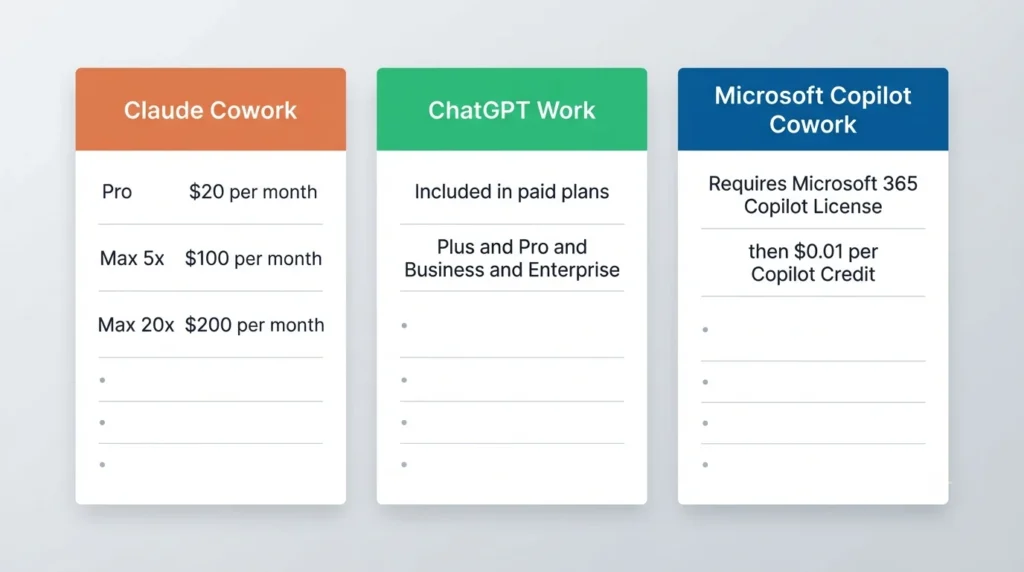
Claude’s current Pro price is $20/month or $200/year, Cowork included, with Max starting at $100/month. Claude pricing
ChatGPT Work launched as part of ChatGPT itself rather than as its own separately priced product — OpenAI says it’s rolling out across every paid plan except Free and Go, expanding through Plus, Pro, Business, Enterprise, and Edu.
Copilot Cowork is the outlier of the three. Microsoft requires the Microsoft 365 Copilot User Subscription License first, then charges Cowork usage on top — pay-as-you-go currently sits at $0.01 per credit, with other purchasing options available for organizations that want to prepay.
So don’t compare these three on headline subscription price alone. Their billing philosophies aren’t even trying to be the same shape.
So, Which AI Coworker Should You Actually Pick?
Work starts with a folder full of files?
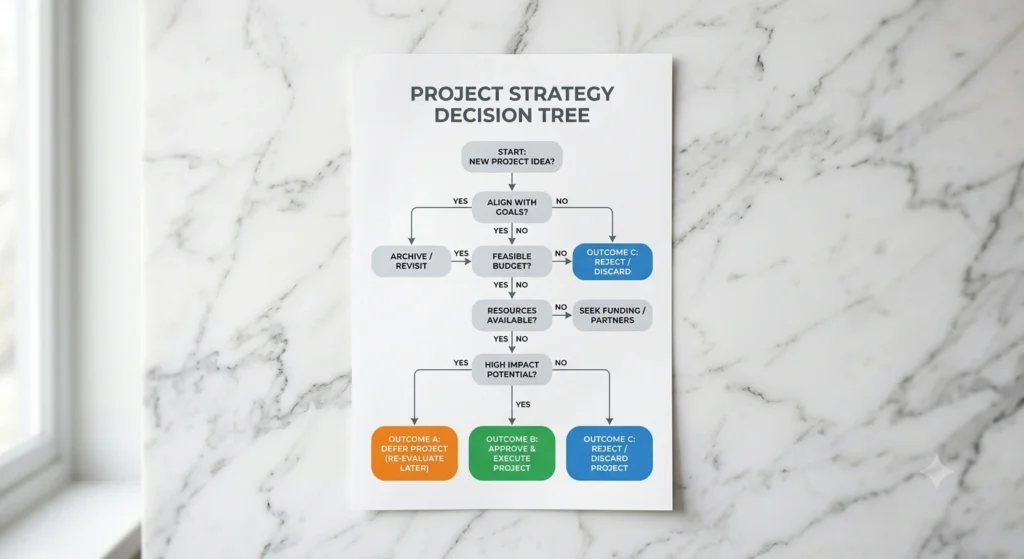
Claude Cowork. It’s a natural fit for document-heavy projects, and not much beats it there.
Work jumps between research, apps, files, and finished deliverables?
ChatGPT Work — the broadest general-purpose option of the three.
Your entire business runs through Microsoft 365?
Copilot Cowork. The ecosystem advantage is hard to argue with, adoption friction and all.
You're a solo creator?
Start with Claude Cowork or ChatGPT Work. There’s rarely a good reason to pay for Microsoft’s enterprise-oriented ecosystem unless you’re already living inside it.
You're running a large Microsoft 365 organization?
Copilot Cowork deserves serious consideration — and the value isn’t really the model itself, it’s everything the model gets to see around it.
My Honest Take
If someone asked me to pick just one of these blind, I wouldn’t — and that’s not me dodging the question. These have genuinely stopped being three flavors of the same chatbot and turned into three different work environments, each with its own way of failing.
Claude Cowork earns its file-first reputation, but the 11GB story isn’t a fluke worth waving off — it’s the clearest illustration of what “agentic” actually costs you in risk. Use it, but back up before granting write access and actually read the plan it shows you instead of clicking through on autopilot.
ChatGPT Work’s breadth is real, and landing on a finished doc or deck from one workspace is genuinely useful. But the missing rate card is a bigger deal than most comparisons give it credit for — “delegate and stop worrying about it” falls apart a little if you can’t see the bill coming until it’s already there.
Copilot Cowork’s Microsoft 365 integration is a moat the other two simply can’t copy. Microsoft’s own Gartner numbers say most employees are still struggling to make it part of their daily routine, though — not a reason to dismiss it if you’re an M365 shop, but a reason to budget time for adoption, not just money for credits.
None of that is a knock unique to one company. It’s the honest state of this whole category in 2026: genuinely useful, still capable of confidently doing the wrong thing, and worth testing on one real task before you hand it something that actually matters.
The Best Test Isn't a Benchmark
If you’re genuinely stuck choosing between these three, skip another two hours of comparison articles — yes, including this one, eventually. Give all three the exact same real assignment, the same files, the same instructions, and then look at five things: did it understand what you actually wanted, how much did you have to step in, how many mistakes turned up, how much editing the final result needed, and — the one people forget — did it actually save you time.
That last question matters more than it sounds. If an agent spends forty minutes producing a report that takes you another hour to fix, you didn’t delegate anything. You just created a second job for yourself with extra steps.
And that’s really the dividing line between Claude Cowork, ChatGPT Work, and Copilot Cowork — not which one has the most impressive underlying model, but which one hands you back something you can actually use without needing to redo half of it.
Frequently Asked Questions
Is Claude Cowork better than ChatGPT Work?
Not universally. Claude Cowork is the stronger pick for file-heavy workflows; ChatGPT Work is broader and better suited to work spanning research, connected apps, and several different types of finished output.
Is Claude Cowork included with Claude Pro?
Yes. Anthropic includes Cowork with Pro, which runs $20/month billed monthly or $200 annually.
How much does Claude Pro cost in 2026?
$20/month, or $200 billed annually. Max 5x runs $100/month and Max 20x runs $200/month.
Is ChatGPT Work a separate subscription?
No — it’s an agent inside ChatGPT itself, not a standalone product. Availability depends on which ChatGPT plan you’re on.
What can ChatGPT Work actually do?
Research and analyze information, work across connected apps and files, and produce documents, spreadsheets, presentations, reports, and Sites. It also runs scheduled tasks.
How does Copilot Cowork pricing actually work?
You need a Microsoft 365 Copilot User Subscription License first, then usage is billed through Copilot Credits — roughly $0.01 per credit on pay-as-you-go
Is Copilot Cowork worth it for a solo creator?
Usually not, unless you’re already deep in Microsoft 365. Claude Cowork or ChatGPT Work will almost always be easier to justify for one person.
Does Copilot Cowork actually use Claude?
Microsoft runs a multi-model approach inside Copilot Cowork, and which models are in rotation changes over time — check Microsoft’s current documentation rather than assuming a specific Claude version will always be available.
Can these AI coworkers actually make mistakes?
Yes, regularly — misread instructions, missed information, confident but wrong output. Anything that matters should get a human read before it’s published, sent, or acted on.
Which one is best for a Microsoft 365 shop?
Copilot Cowork, by a clear margin, thanks to native access to Outlook, Teams, Word, Excel, SharePoint, and OneDrive plus the organizational context from Work IQ.
Which one is best for a freelancer or researcher?
Narrow it to Claude Cowork vs ChatGPT Work. Pick Claude if your work is mostly files and documents; pick ChatGPT Work if you need broader research, connected apps, and a wider variety of finished outputs.
The Short Answer
Claude Cowork: best when your work starts with a pile of files. ChatGPT Work: best all-rounder for research, connected tools, and finished deliverables. Copilot Cowork: best once your business already lives inside Microsoft 365.
And one last piece of advice, for whatever it’s worth: don’t buy an AI agent because the demo looked impressive. Hand it one ugly, boring task you actually need finished. If it saves you real time, you’ve found something worth keeping. If it hands you back more cleanup than it saved you, no amount of agent features will make the subscription worth it.