If you’re stuck choosing between tl;dv vs fireflies to automate your meeting notes, you already know the drill: you sit through an hour-long client call, half-listening while frantically typing notes, and the second it ends, someone asks “so what did we agree on?” Cue the awkward scroll back through a recording nobody has time to rewatch. Add in the slightly cringey moment when a robotic bot joins the call and announces itself to everyone, and you’ve got the two biggest headaches AI notetakers were built to fix.
Both tools promise to kill the manual note-taking grind, but they go about it in pretty different ways — one leans hard into video and clipping, the other into cross-meeting search and AI-powered recall. If you’ve been going back and forth trying to figure out which one deserves a seat in your calendar, this breakdown should settle it.
In This Article
ToggleQuick Verdict: Which One Should You Actually Pick?
Pick tl;dv if: you live in Zoom or Google Meet, care about pulling short video clips to share with teammates who skipped the call, and want a generous free plan for unlimited recording.
Pick Fireflies if: you’re juggling dozens of calls a week across sales, support, and internal syncs, and you want to ask questions about everything that’s been said across all of them — not just one transcript at a time.
Neither is a bad choice. It really comes down to whether your team needs a video-first workflow (tl;dv) or a searchable, cross-meeting knowledge base (Fireflies). Let’s get into the details.
tl;dv vs Fireflies: Comparison Table
| Feature | tl;dv | Fireflies.ai |
|---|---|---|
| Free plan cost | $0/mo | $0/mo |
| Free video recording | Unlimited video recording & transcription (30+ languages) | No video recording on free plan |
| Free AI notes | Capped at 10 meetings with AI notes, 10 Ask AI queries | Limited AI summaries, 400 mins team storage, 20 AI credits |
| Cross-meeting AI search | Limited on lower tiers | AskFred AI assistant included from free tier |
| Paid entry price | ~$18/seat/mo (annual) | $10/seat/mo (annual) |
| Video capture on paid plans | Included from Pro | Full live video bot unlocks on Business ($19/mo) |
| Storage | Unlimited AI notes on Pro | 8,000 mins/seat on Pro, unlimited on Business |
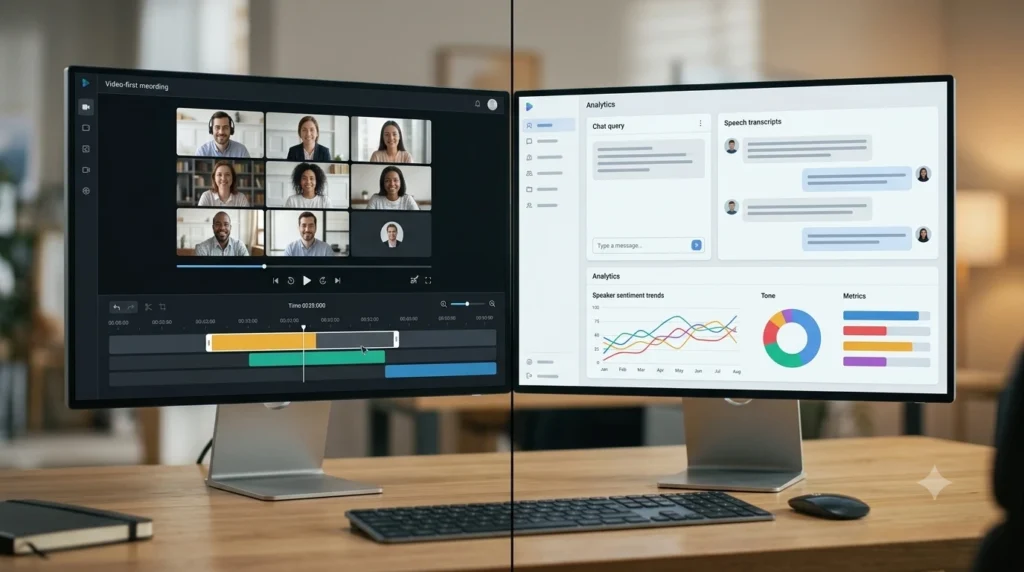
| Standout feature | Video clipping & async sharing | Conversation intelligence & AskFred |
Why This Comparison Even Matters
Every team says they want “less time in meetings,” but the real problem usually isn’t the meeting itself — it’s everything that happens after. Action items get buried in someone’s notes app. A decision gets made verbally and never written down. A teammate who missed the call has to either bug you for a summary or burn 45 minutes rewatching it.
An AI meeting notetaker is supposed to fix all of that automatically. The question is which tool does it in a way that fits how your team actually works.
tl;dv: The Video Clipping Powerhouse
If your team communicates a lot through short video snippets — think “hey, watch this 90-second part where the client pushed back on pricing” — tl;dv was practically built for you.
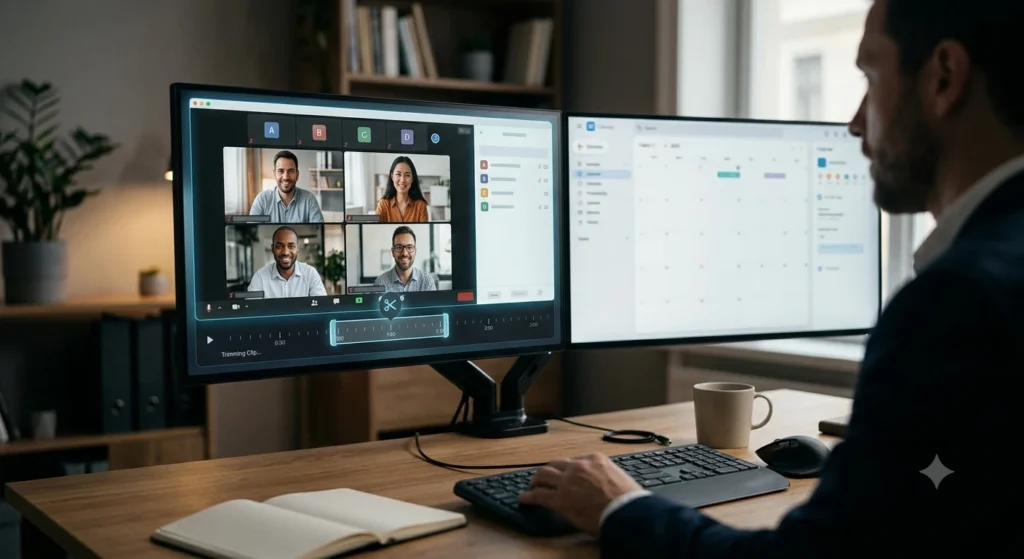
Video Clipping & Async Sharing (tl;dv's Superpower)
This is genuinely where tl;dv pulls ahead. Instead of forcing a colleague to sit through an entire recording, you can trim out the exact moment that matters and fire off a shareable link in seconds. For sales teams passing objections to product, or support teams flagging a tricky bug report, this async workflow saves a ridiculous amount of back-and-forth.
tl;dv Chrome Extension & Ease of Use
The tldv chrome extension makes joining calls dead simple — no separate app to manage, no clunky setup. It sits quietly in your browser and joins your Zoom or Google Workspace calls the moment it starts, transcribing everything in real time across more than 30 languages. Once the tldv chrome extension is installed, you genuinely don’t have to think about it again — it just shows up when a call starts.
The Catch: tl;dv's Free Plan Cap
Here’s where a lot of reviews gloss over the fine print. Yes, tl;dv’s free plan gives you unlimited video recording and transcription, which sounds incredible on paper. But the AI notes and Ask AI features — the parts that actually summarize and let you query your meetings — are capped at just 10 meetings and 10 queries, total, not per month. Once you burn through those, you’re recording video with no AI brain behind it unless you upgrade.
Fireflies.ai: The Conversation Intelligence Champion
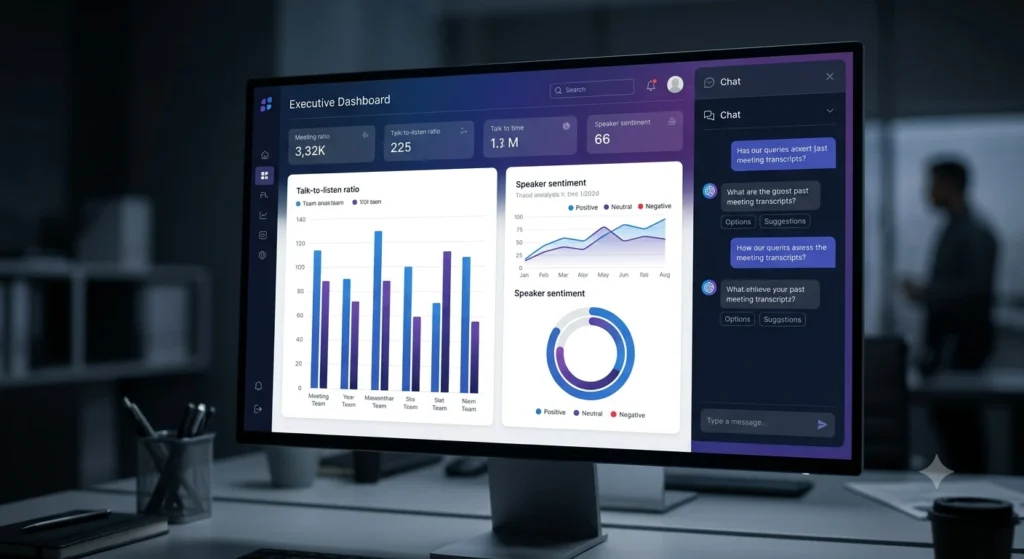
Fireflies takes a different bet: instead of leading with video, it leads with understanding everything that’s ever been said across your entire meeting history.
Conversational AI & Cross-Meeting Intelligence (Fireflies' AskFred Advantage)
This is Fireflies’ real edge. Fireflies Ask Fred lets you ask plain-language questions like “what did we promise the Acme account last month?” and it’ll dig through weeks of transcripts to answer — not just the one meeting you’re currently viewing. For anyone managing a high volume of recurring calls, that kind of cross-meeting recall beats scrolling through individual summaries every time. Once you’ve used Fireflies Ask Fred to pull an answer from a call you barely remember attending, it’s hard to go back to manually skimming transcripts.
What is Fireflies AI Actually Used For?
So what’s it best suited for, practically speaking? It shines in sales and customer success environments where reps need to search across hundreds of past calls to prep for a follow-up, spot patterns in objections, or auto-sync call summaries directly into CRMs like HubSpot. Its conversation intelligence tools — talk-time ratios, sentiment tracking, keyword tracking — go a layer deeper than a basic transcript.
The Catch: Does Fireflies Record Video on the Free Plan?
Short answer: no. Fireflies’ free tier gives you unlimited transcription but skips video recording entirely, and honestly, full live video bot capability doesn’t fully unlock until the Business plan. If video capture matters to you right out of the gate, that’s a real limitation worth knowing before you commit.
Bot vs Botless: The Privacy Question Nobody Talks About
Both tools rely on a bot joining your Zoom or Google Meet call to record it, which means every participant sees a visitor labeled “tl;dv Notetaker” or “Fireflies.ai Notetaker” pop into the call. For internal standups, that’s a non-issue. But for client-facing calls or sensitive HR conversations, that visible bot can create an awkward moment — and it also raises a fair question about who’s actually storing that recording and for how long.
Neither tool currently offers a true botless meeting recorder experience for platforms like Zoom or Meet, so if privacy-by-default matters to your organization, that’s worth flagging to your legal or IT team before rolling either tool out company-wide. Honestly, when you weigh tl;dv vs fireflies on this front, it’s less about which bot looks friendlier and more about who’s storing your call data and for how long.
Unfiltered Pricing & Hidden Limits Breakdown
Let’s talk real numbers, because most tl;dv vs fireflies comparisons gloss over pricing gotchas — and this is exactly where the fine print bites people. When you dig into fireflies ai pricing and tl;dv’s tiers side by side, the gaps between what looks free and what’s actually usable become a lot clearer.
Fireflies.ai Pricing
- Free — $0/mo. Unlimited transcription, but AI summaries are limited, team storage is capped at 400 minutes, you get 20 AI credits, and there’s no video recording.
- Pro — $10/seat/mo billed annually (or $18/seat/mo billed monthly). You get 8,000 minutes of storage per seat, unlimited AI summaries, and video file upload/download — but note that full live video recording and conversation intelligence stay locked until Business.
- Business — $19/seat/mo billed annually (or $29/seat/mo billed monthly). This is where you get unlimited storage, conversation intelligence, multi-language mode, team analytics, and full video capture.
- Enterprise — $39/seat/mo, annual billing only.
The honest takeaway on fireflies ai pricing is that Pro looks cheap until you realize the video and conversation-intelligence features you probably wanted are gated behind Business.
tl;dv Pricing
- Free — $0. Unlimited video recording and transcription in 30+ languages, but strictly capped at 10 meetings with AI notes and 10 Ask AI queries, total.
- Pro — around $18/seat/mo billed annually (₹1,715) or about $29/seat/mo billed monthly (₹2,764). This tier unlocks unlimited AI notes, custom templates, global transcript search, and access to 5,000+ integrations.
- Business — billed annually at ₹2,499/seat/mo or ₹3,499/seat/mo monthly. Adds unlimited multi-meeting AI insights, AI playbook monitoring, and team automations.
FAQ: Quick Answers to Common Questions
Is tl;dv completely free?
Not entirely. Video recording and transcription are free and unlimited, but AI-generated notes and Ask AI queries are capped at 10 lifetime uses on the free plan. After that, you’ll need Pro.
What is Fireflies AI used for?
It’s primarily used to transcribe, summarize, and search across meetings — with a particular strength in cross-meeting search via AskFred, plus conversation analytics like talk-time and sentiment tracking, popular with sales and customer success teams.
Does Fireflies record video on the free plan?
No. The free plan covers transcription only. Live video recording capability is tied to paid tiers, with full functionality arriving on the Business plan.
Is there a botless meeting recorder option for either tool?
Not currently. Both tl;dv and Fireflies join meetings as a visible bot on platforms like Zoom and Google Meet rather than recording invisibly in the background.
Which tool has a better Chrome extension experience?
tl;dv’s browser add-on is widely seen as lightweight and easy to set up for joining Zoom and Google Meet calls directly from your browser, without extra software to install.
Is Fireflies a good tldv alternative?
Yes, for teams that need cross-meeting search over video clipping, Fireflies is a solid pick — especially if unlimited free video recording isn’t a priority for your workflow.
Final Take
There isn’t a universal winner in the tl;dv vs fireflies matchup — there’s just a better fit for how your team communicates. If clipping and sharing short video moments is core to your workflow, tl;dv’s free-forever video recording is hard to beat. If you’re drowning in recurring calls and need to search across all of them at once, Fireflies’ AskFred gives you a genuine edge that tl;dv doesn’t fully match yet.
Whichever direction you lean, it’s worth testing both on their free tiers with a real week of meetings before you commit a company card to either one. And if you want to see how these two stack up against other options on the market, check out our full breakdown of the best AI tools for meeting notes.