Somewhere in the last two minutes of a call, a small window pops up: “Fathom Notetaker has joined the meeting.” Everyone sees it. Everyone adjusts, just slightly — the joke lands a little flatter, the honest opinion gets softened into something more presentable. Or you skip the bot entirely and just type your own notes while trying to actually listen, which mostly means you do neither well.
That’s the real question behind “granola vs fathom,” and it’s not really about features. It’s about which trade-off you can live with: a visible recorder that captures everything, or an invisible one that captures less by design. I’ve run both apps for weeks across Zoom and Google Meet, on Mac and Windows, and the split between them is sharper than most comparison posts let on.
In This Article
ToggleAt-a-Glance Comparison Table
| Granola | Fathom | |
|---|---|---|
| Capture Type | Botless — reads system audio directly off your device | Cloud bot by default, with a native Bot-Free option on Mac |
| Desktop OS Support | Native Mac and Windows apps | Native Mac and Windows apps, plus Chrome extension |
| Audio/Video Retention | Raw audio permanently deleted after transcription | Full HD video and audio kept indefinitely, replayable anytime |
| CRM Sync | Business plan and above (Notion, HubSpot, Slack, Zapier) | Business plan and above, with full native Salesforce/HubSpot field sync |
| Free Plan Limits | Unlimited meetings, but only 30 days of visible history | Unlimited recordings, no history cap; advanced summaries capped at 5 calls/month |
| Pricing | $14/user/month (Business) | From $16/mo (Premium) up to $25/user/mo (Business) — full breakdown below |
That table alone tells you most of what you need to know. Granola’s free plan runs out of runway after a month. Fathom’s doesn’t on the recording side — but its pricing ladder has more rungs than it first looks like, and its default setup still puts a bot in the room.
How Granola's Background Audio Capture Works vs Fathom's Live Bot-Free Mode on Mac
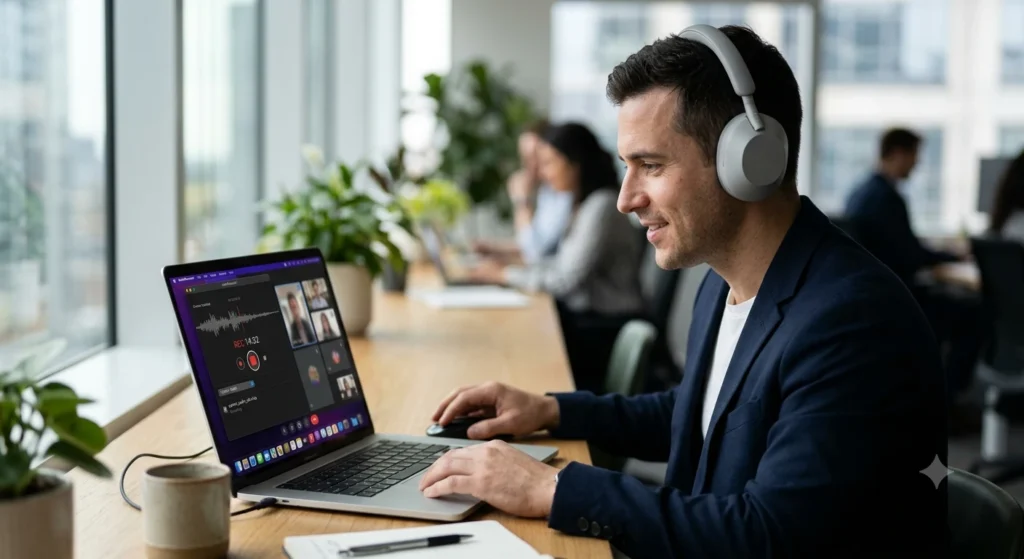
Granola listens to your system audio — the same audio stream already coming out of your speakers — and never joins the call as a participant. No name in the attendee list, no “recording started” banner, nothing for the other person to see unless you tell them yourself. This is what people mean when they search for a botless AI meeting recorder: nothing announces itself, on Mac or on Windows, and the mechanism doesn’t change between the two.
Fathom built its reputation the opposite way. The classic Fathom Notetaker joins as an actual meeting participant, visible to everyone, recording both audio and video from inside the call. That visibility is a feature in its own right — nobody can claim they didn’t know they were being recorded — but it also means every external call gets a third wheel whether you wanted the optics or not.
What’s changed is fathom bot free mode, which is now live on macOS rather than sitting in beta. It lets the Fathom desktop app pull audio the same way Granola does, skipping the bot entirely, and Fathom now treats it as a supported native option for Mac users rather than an experiment. The catch is that it’s still Mac-only — Windows support for Fathom’s bot-free capture isn’t available yet, so Windows users are still stuck with the visible bot. Granola, by comparison, has been botless-by-default on both platforms since day one. If cross-platform invisibility is the requirement, that’s the deciding fact right there: Granola covers both operating systems, Fathom currently covers one.
For a wider view of how these two stack up against the rest of the category, our guide to AI meeting note taker tools covers the field beyond just these two.
Audio Retention & Legal Risks: Why Granola Deletes Audio and Fathom Keeps Full Video Recordings
This is the part that deserves more weight than most reviews give it.
Granola deletes the raw audio permanently, right after transcription runs. There’s no archive, no playback button, no way to go back and listen. Once the app generates your notes, the original recording is gone. That’s a genuinely strong privacy position — there’s simply no audio file sitting on a server for anyone to subpoena, leak, or misuse. But it cuts both ways: if a dispute comes up later about what was actually said in a call — a verbal agreement, a disputed quote, a “that’s not what I meant” — there is nothing to go back and check or verify. You have the AI-generated notes and nothing else. For anything with legal or contractual weight, that’s a real risk worth sitting with before you rely on Granola as your only record of a conversation.
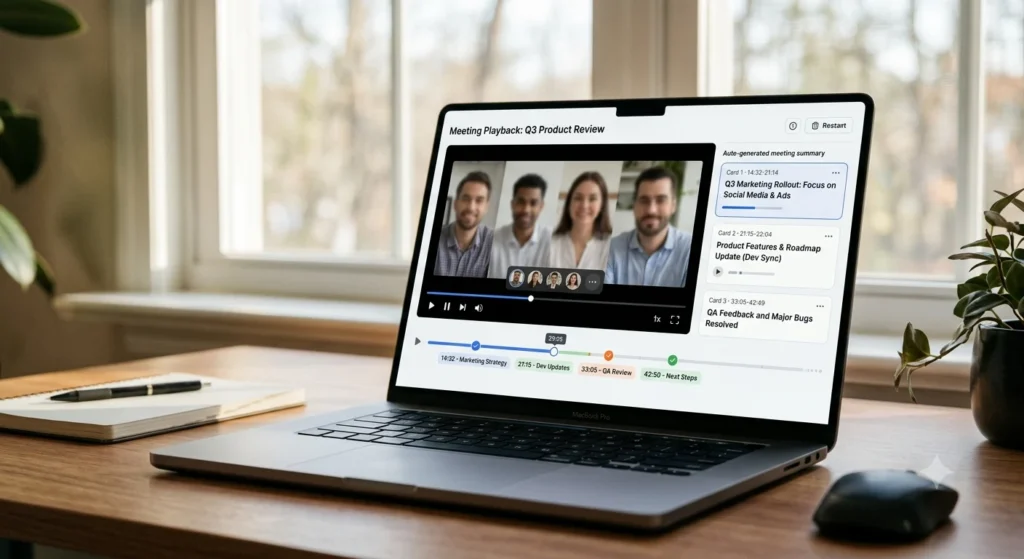
Fathom keeps full HD video and audio indefinitely, tied to your plan’s history limits. You can scrub back to the literal moment, clip a soundbite, or hand someone the raw footage instead of a summary. That’s a meaningful advantage anywhere accuracy matters more than deniability — sales calls, performance reviews, anything you might need to reference verbatim months later. The trade-off is the opposite of Granola’s: a much larger footprint of sensitive recordings living somewhere you don’t fully control.
Neither is the “safe” choice. One removes the evidence entirely. The other keeps all of it, indefinitely, by default.
User Experience: Granola's "Typed Notes + AI Enrichment" vs Fathom's Hands-Off Full Automation
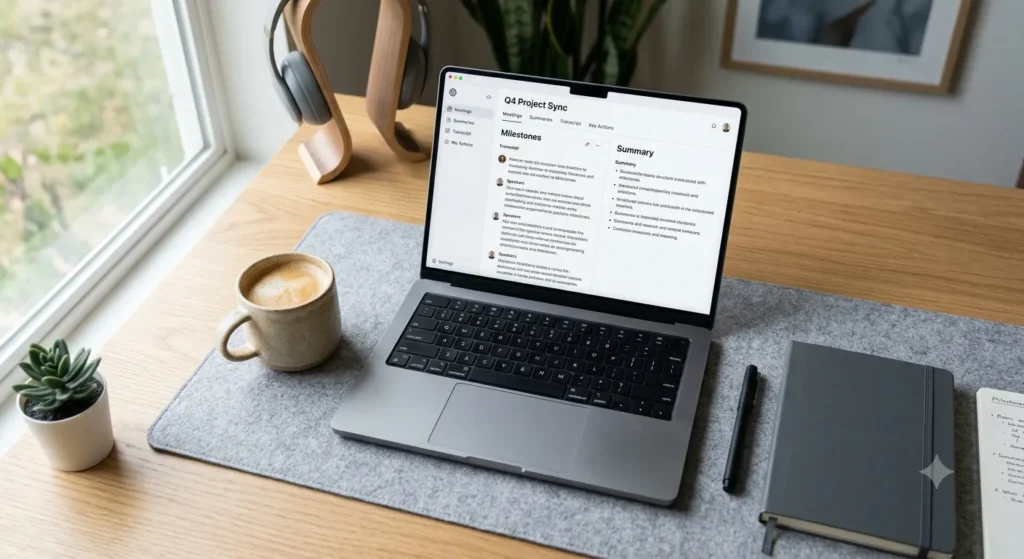
Granola hands you a blank editor before the call starts and asks you to type your own rough notes as you go — fragments, bullet points, whatever you’d normally jot down. When the meeting ends, it merges your notes with the transcript and rewrites the result into something coherent, using your own phrasing as the backbone. The output reads like your thinking, not a generic AI summary, but only if you actually typed something. Sit through a call in total silence and Granola has less to work with — the summary gets thinner.
Fathom asks nothing of you. The bot joins, records, and generates the whole recap — key points, action items, a shareable summary — without any input from you during the call. For people who can’t split attention between listening and typing, that’s a genuine relief. You show up, talk, and the recap exists a few minutes later.
The cost of that convenience is control. There’s no human-authored skeleton steering Fathom’s summary, so it’s entirely up to the model to decide what mattered. Granola’s hybrid approach takes more effort in the moment but tends to reflect what you actually cared about, not just what the transcript statistically emphasized.
Pricing Battle & Free Limits: Granola's 30-Day History Limit vs Fathom's Tiered Plans
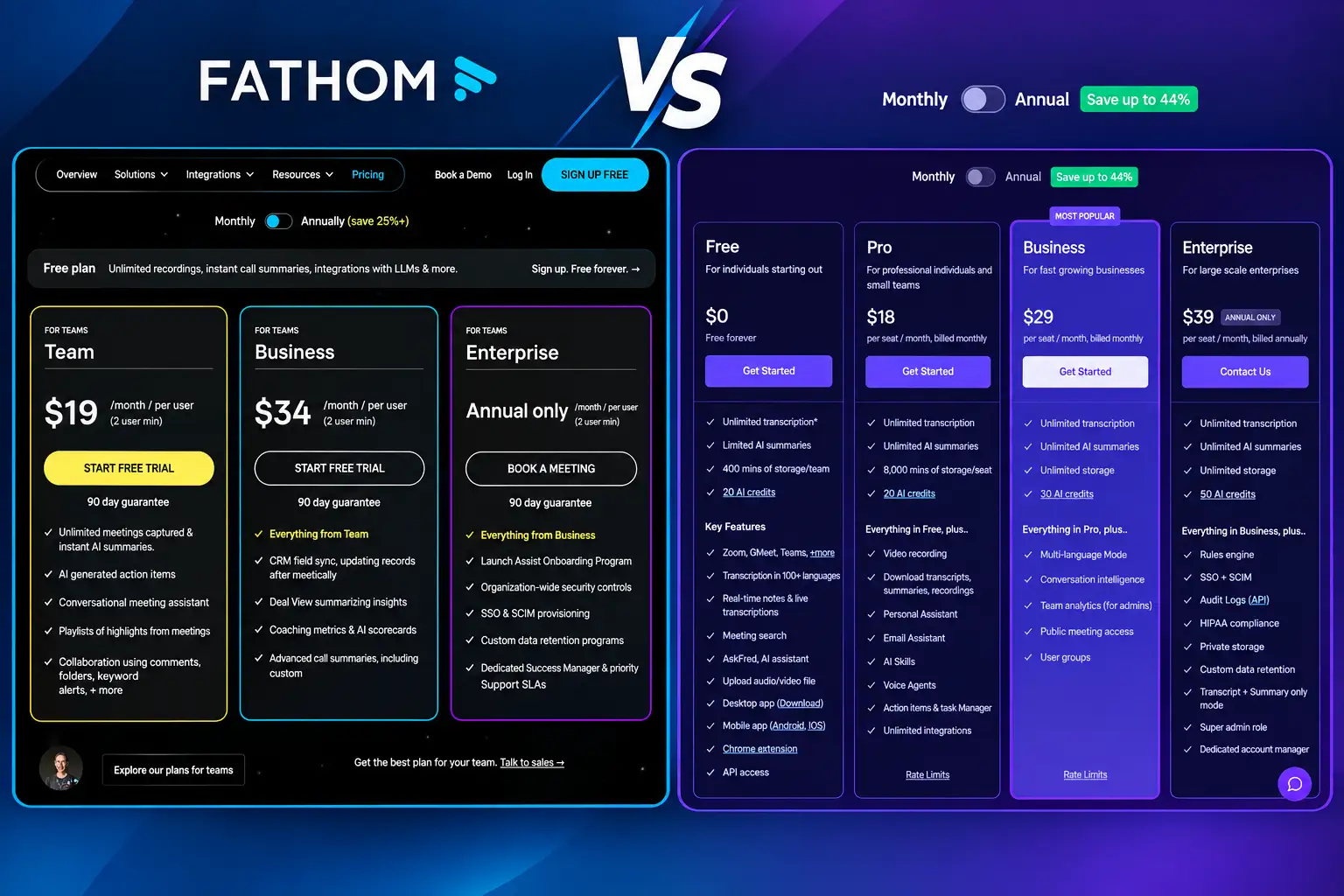
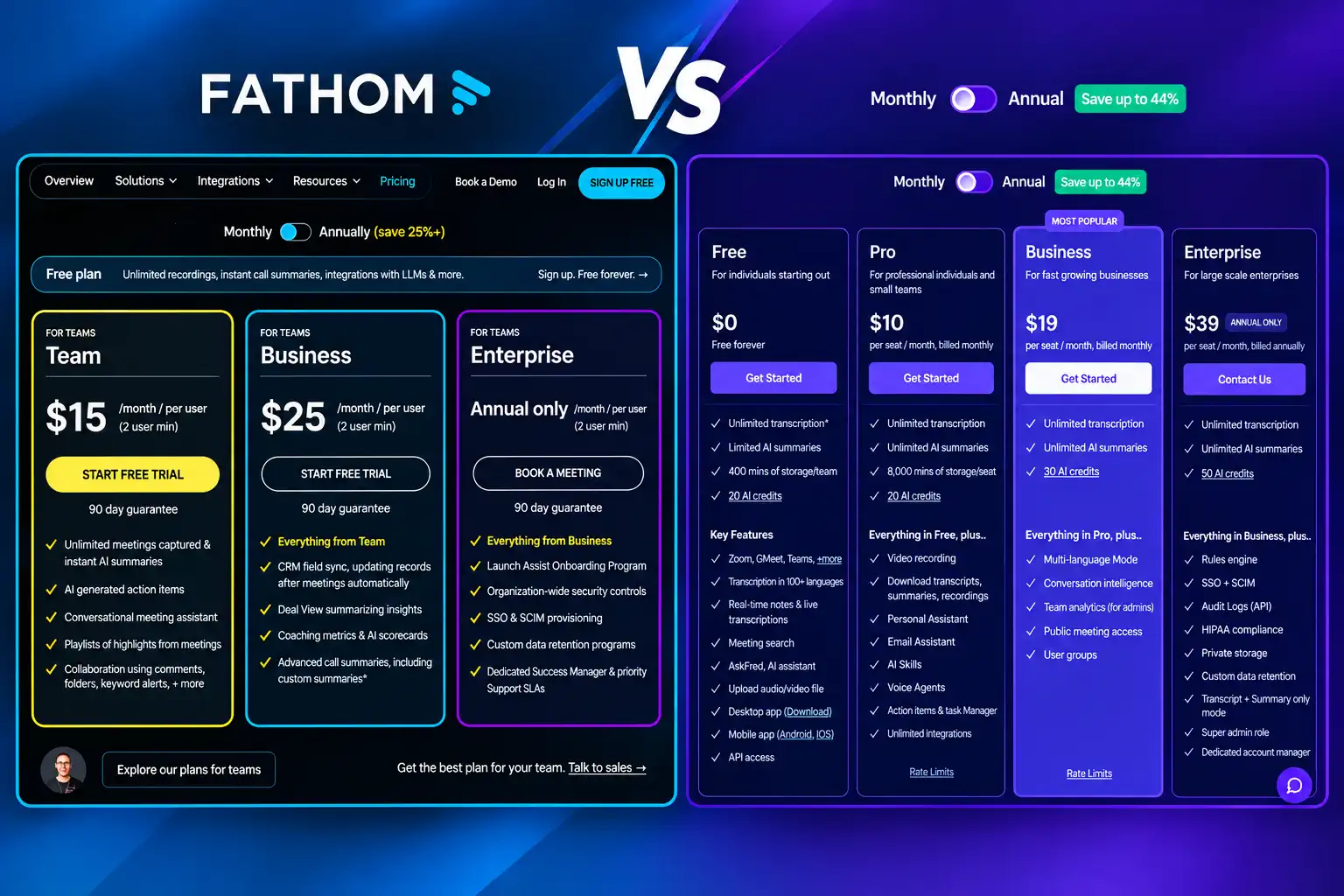
On granola vs fathom pricing, the two companies aren’t even structured the same way, so a straight side-by-side undersells how different the ladders actually are.
Granola keeps it simple: free for unlimited meeting notes, but the free plan only keeps 30 days of history visible — a call from two months ago is effectively gone unless you’ve upgraded. Granola Business costs $14/user/month and removes that ceiling entirely, along with unlocking CRM integrations. There’s no middle tier.
Fathom has more rungs. The free plan includes unlimited recordings and no history cap, but caps advanced AI-summary templates at five calls a month — after that, you’re on the standard summary only. Above free, there are three paid tiers:
- Premium (individual): $20/user/month billed monthly, or $16/user/month billed annually — removes the advanced-summary cap for solo users.
- Team: $19/user/month billed monthly, or $15/user/month billed annually — adds SSO, shared team libraries, and cross-team search, with a 2-user minimum.
- Business: $34/user/month billed monthly, or $25/user/month billed annually — adds full CRM field sync for Salesforce and HubSpot, custom data retention policies, and advanced security controls.
Lined up against Granola’s single $14/user/month Business tier, Fathom’s Team plan at $15/user/month (annual) is the closer comparison for a small team wanting collaboration features — it’s nearly identical in price. But if CRM depth is the actual requirement, Fathom’s Business plan at $25/user/month is a meaningfully bigger spend than anything Granola charges, in exchange for compliance and field-mapping features Granola’s Business tier doesn’t match.
If your priority is being able to search a call from four months back without paying anything, Fathom’s free plan already handles the recording side of that. If your priority is never having a visible recorder in the room, Granola’s free plan handles that instead — and neither company’s free tier is really a trap so much as a deliberate line drawn to nudge you toward paying eventually.
Privacy & Consent: Who Carries the Burden of Recording Consent? Data Training Defaults Compared
Consent works differently depending on which model you’re using. Fathom’s visible bot puts the burden on transparency — everyone on the call sees the recorder join, and in most places that visibility itself counts as notice. Granola’s silent capture puts the burden on you: since nothing announces itself, you’re the one responsible for telling participants a meeting is being recorded, which some jurisdictions require regardless of whether the tool discloses it.
Then there’s the training-data question, which is where Granola’s privacy-forward marketing runs into a real gap.
Granola enables AI model training by default on both its Free and Business tiers. Your meeting content is used to improve Granola’s models unless you go into settings and manually turn that off — it isn’t opt-in, it’s opt-out, and it’s easy to miss. Only the Enterprise tier lets an admin disable this across an entire workspace by default. If you’re recording anything under an NDA or attorney-client sensitivity, check that toggle before your first real call, not after.
Fathom’s stance leans on its compliance posture instead: SOC 2 Type II auditing plus HIPAA compliance options on higher tiers, which matters if your organization needs a signed BAA or an audit trail as a baseline requirement rather than a bonus. Worth confirming directly against the current SOC2 security compliance documentation if that’s a procurement requirement for you.
So: Granola is more private about the recording itself, but looser by default about what happens to your data afterward. Fathom is more exposed during the call, but more disciplined about where the resulting data goes.
Final Decision Matrix

Pick Granola if:
- A visible bot in a client or candidate call is a dealbreaker for you
- You’re already someone who types rough notes during meetings anyway
- Zero audio retention matters more to you than a searchable archive
- You want botless capture on Windows, not just Mac
- You’re comfortable finding and flipping the AI-training opt-out yourself
Pick Fathom if:
- You want to show up, talk, and let the recap build itself
- Being able to replay the actual video later matters more than staying invisible
- A free plan needs to last longer than 30 days without forcing an upgrade
- You’re on a Mac and specifically want the native Bot-Free option
- You need HIPAA-level compliance or full Salesforce/HubSpot field sync at the Business tier
FAQs
Does Granola join as a bot?
No. Granola captures system audio directly from your Mac or Windows device and never joins the call as a visible participant — this is its core granola ai vs fathom ai differentiator.
Does Granola save audio?
No. Granola transcribes the call and then permanently deletes the raw audio. There’s no playback feature — once the notes are generated, the original recording is gone for good.
Does Fathom work botless?
Yes, on Mac. Fathom’s Bot-Free mode is now live (no longer a beta) for macOS, letting the app capture system audio without a visible bot. Windows users don’t have this option yet and will still see the classic cloud bot join the call.
Is Granola AI notes training on by default?
Yes, on Free and Business plans. Granola uses meeting data to train its models unless you manually opt out in settings; only Enterprise allows a workspace-wide default opt-out.
What does Fathom actually cost for a team?
Beyond the free plan, Fathom Premium runs $16-20/month for individuals, Team runs $15-19/user/month for small teams needing SSO and shared libraries, and Business runs $25-34/user/month for full CRM sync and compliance controls (lower prices reflect annual billing).
Which is the better granola ai note taker experience for Mac users specifically?
If you like typing your own notes and having them cleaned up afterward, Granola’s Mac app is purpose-built for that. If you want zero manual input plus full video playback, Fathom’s Mac app with its native Bot-Free mode enabled covers that instead.
How does this compare to Otter AI?
Otter sits closer to Fathom’s automated model but with a tighter free-tier minute budget. Our full Fathom vs Otter comparison breaks down where Otter AI meeting notes hold up against Fathom specifically.
Pricing, free-tier limits, and default privacy settings on both tools change more often than either company’s marketing implies. Before deploying either across a team, check the live Granola Mac app store page and Fathom’s Help Center directly, and confirm CRM field mapping against your provider’s own Salesforce integration documentation if that’s part of your workflow.